← Threadline Chat video guides / வீடியோ வழிகாட்டிகள்
Connect your online store
Connect a Shopify or WooCommerce shop so orders and abandoned carts reach your chats and campaigns. About five minutes, with your store admin open.
The same steps as a short video with captions (about 1 minute, no sound). In the pictures below, the red boxes marked 1 2 3 show where to look.
1
Open Integrations
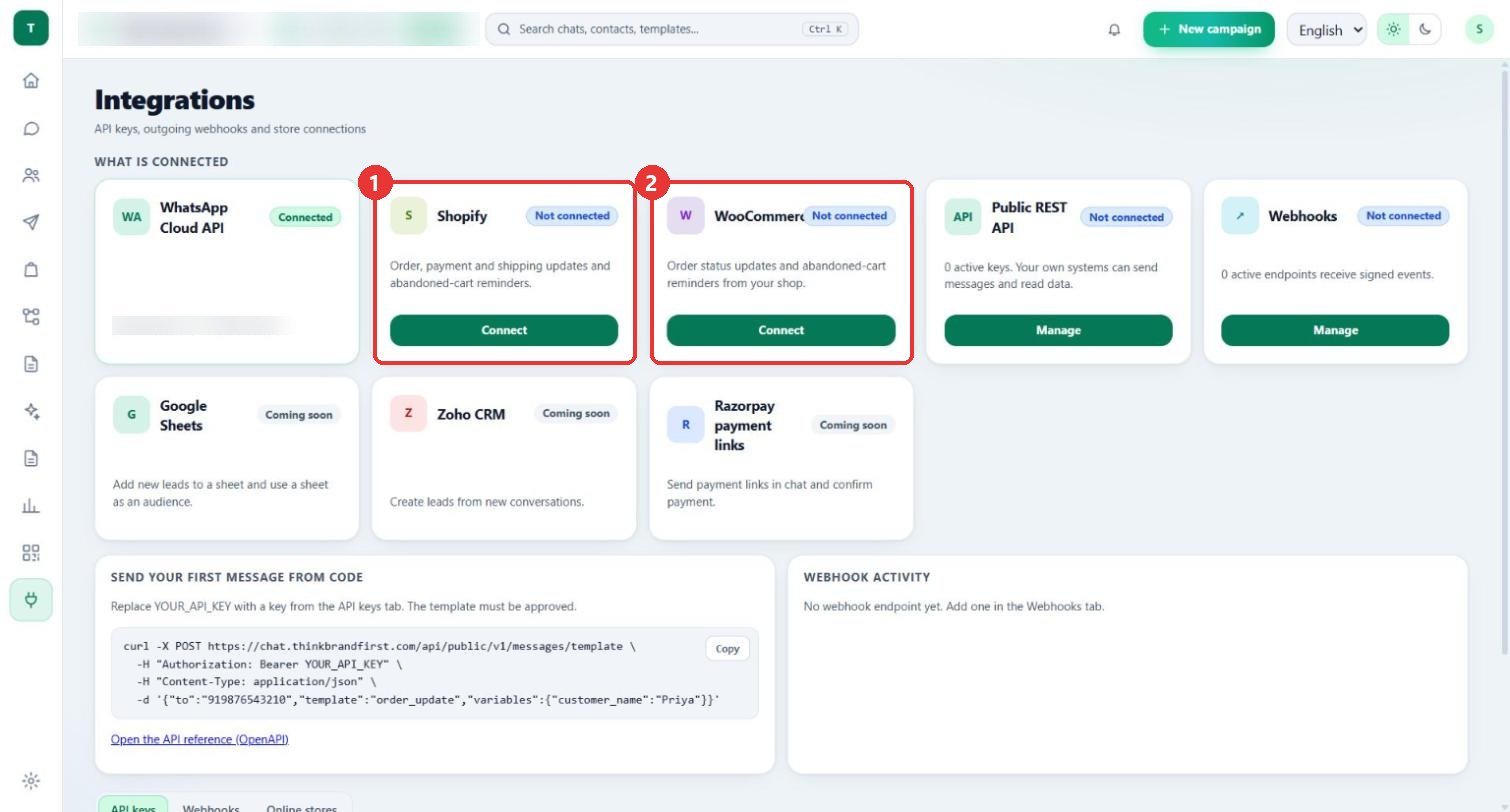
What to clickOpen Integrations. Under What is connected, press Connect on the Shopify or the WooCommerce card.
WhyShopify sends order, payment and shipping updates and abandoned-cart reminders. WooCommerce sends order status updates and abandoned-cart reminders.
Use caseA saree shop on Shopify connects it so its orders reach the chats and campaigns.
2
Press Connect a store
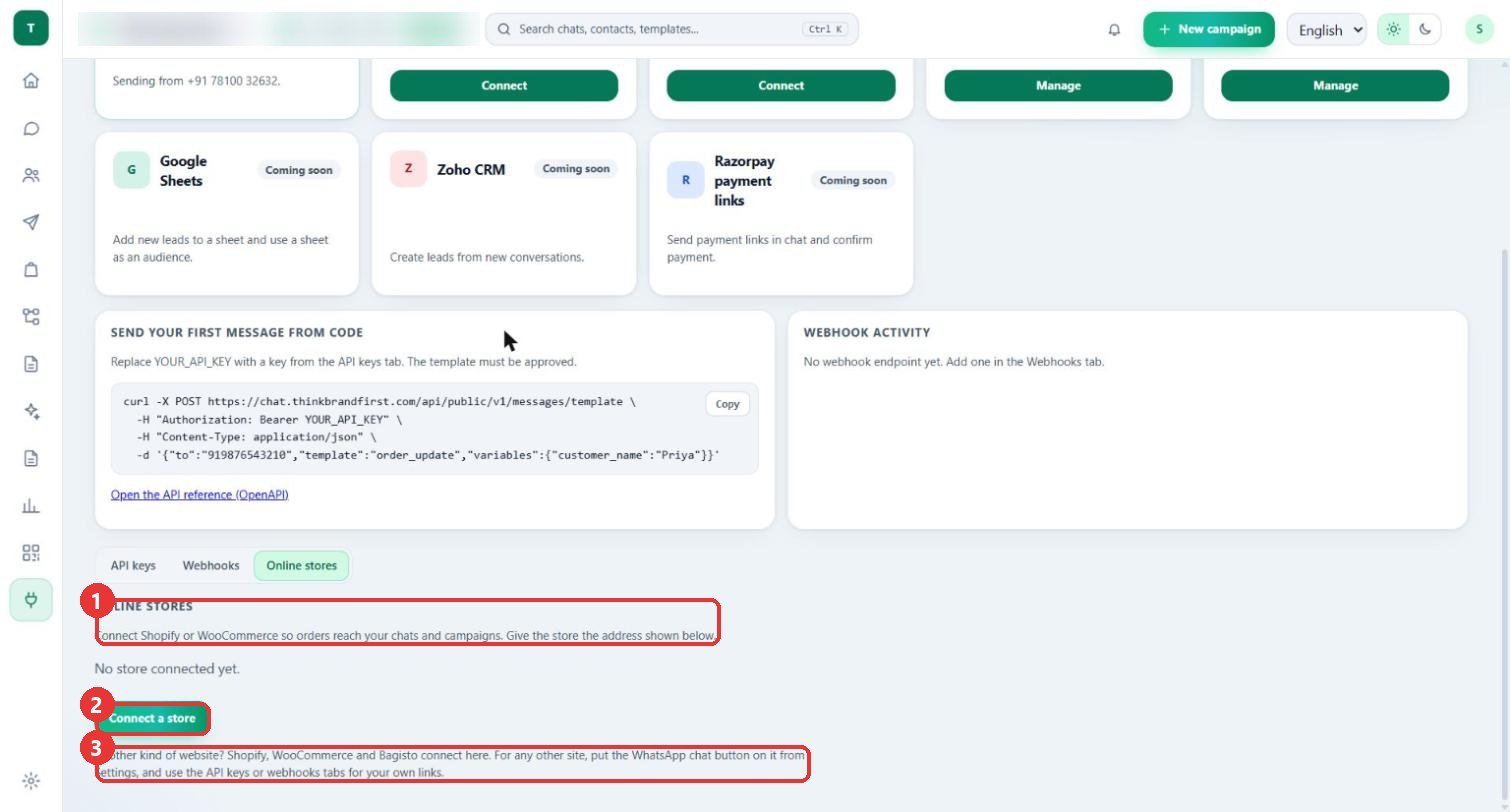
What to clickThe page moves to Online stores. It lists connected stores (here "No store connected yet."). Press Connect a store.
WhyShopify, WooCommerce and Bagisto connect here. For any other website, put the WhatsApp chat button on it from Settings and use the API keys or Webhooks tabs.
Use caseA shop on its own platform uses the chat button instead of a store connection.
3
Choose the store type and paste the secret
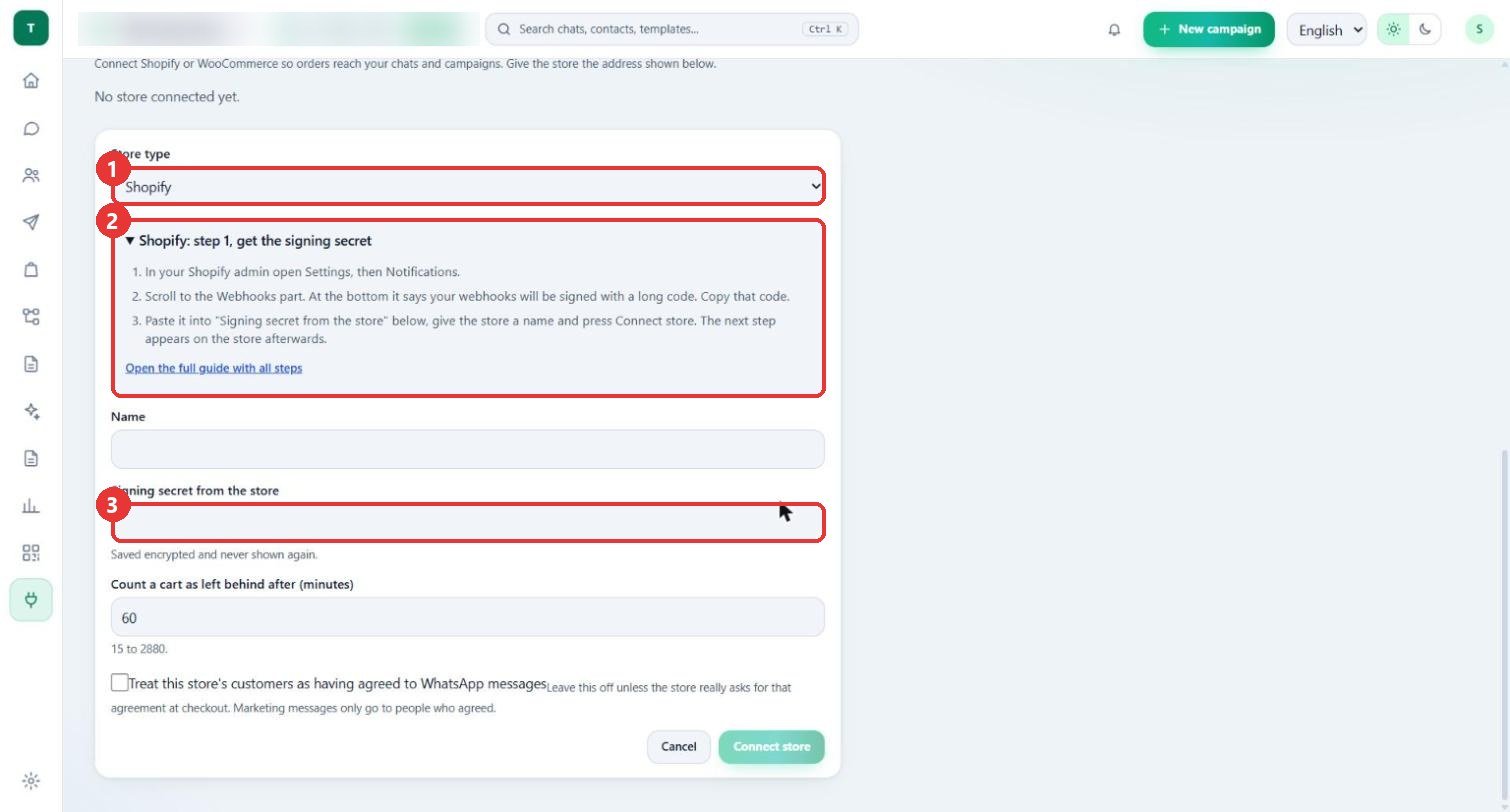
What to clickChoose the Store type. Read Shopify: step 1, get the signing secret: in Shopify admin open Settings, then Notifications, scroll to Webhooks and copy the long code. Paste it into Signing secret from the store.
WhyThe secret lets Threadline check that an order message really comes from your store. It is saved encrypted and never shown again.
Use caseThe panel has an "Open the full guide with all steps" link if you get stuck.
4
Name it and finish
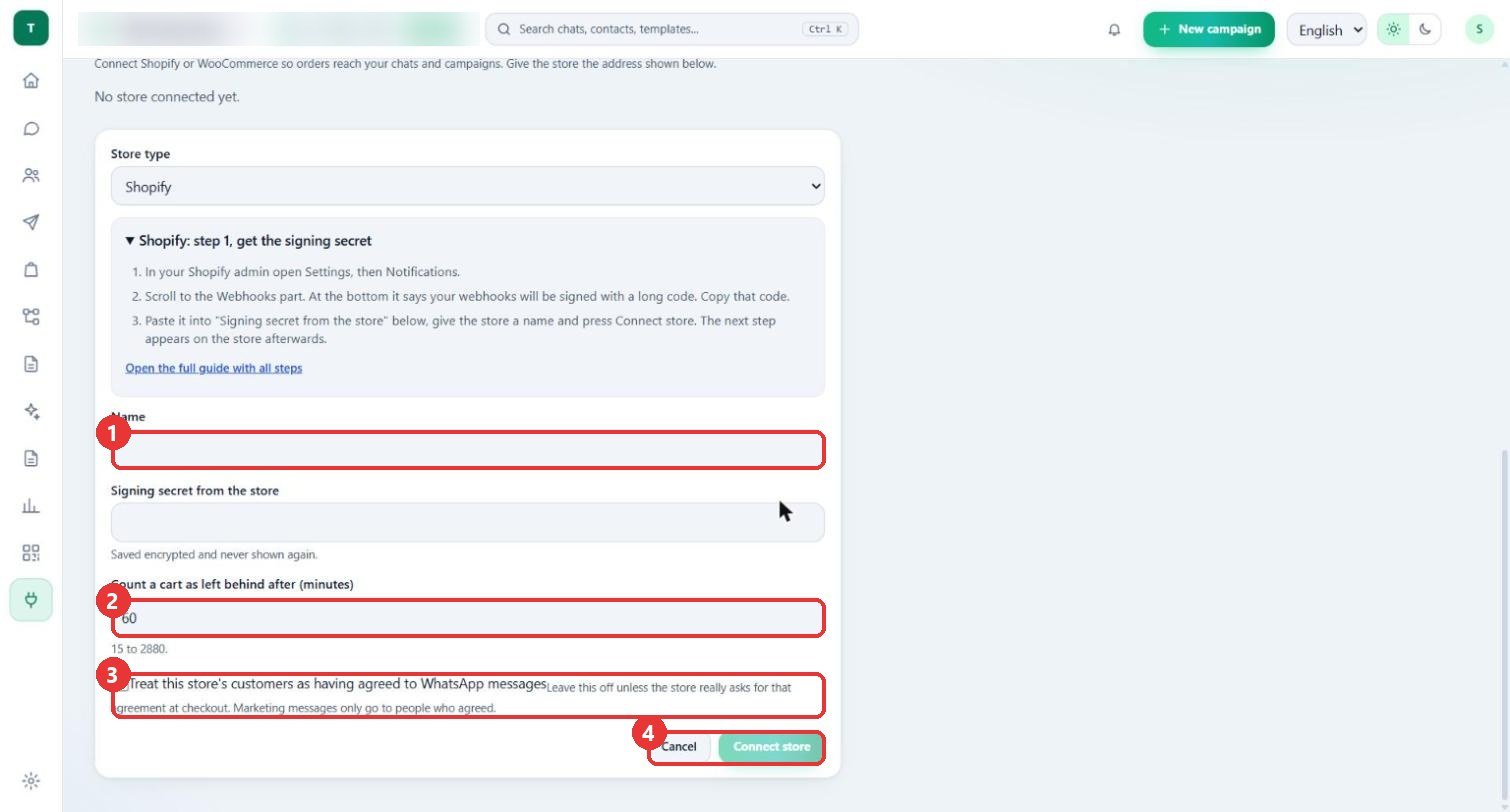
What to clickGive the store a Name. Count a cart as left behind after (minutes) is 60 (allowed 15 to 2880). Tick the agreement box only if the store really asks for it at checkout. Press Connect store.
WhyMarketing messages only go to people who agreed, so leave the box off unless checkout asks for agreement. The next step appears on the store afterwards.
Use caseA shop that shows a WhatsApp tick-box at checkout may tick it. A shop without one leaves it off.
Good to know
- The store name and the WhatsApp number are blurred in these pictures.
- Nothing was connected: the form was opened and then cancelled, and the list still says "No store connected yet."
- For WooCommerce choose it in the same Store type box. Its two steps are on the Chat help page.