← Threadline Social help / உதவி
Reply to comments on one video
Someone comments "link" under your Instagram video or Reel. Threadline Social replies under the comment and sends the link in a private message, by itself. Setting it up takes about two minutes.
The same steps as a short video with captions (about 1 minute, no sound). In the pictures below, the red boxes marked 1 2 show where to look.
1
Start a new rule
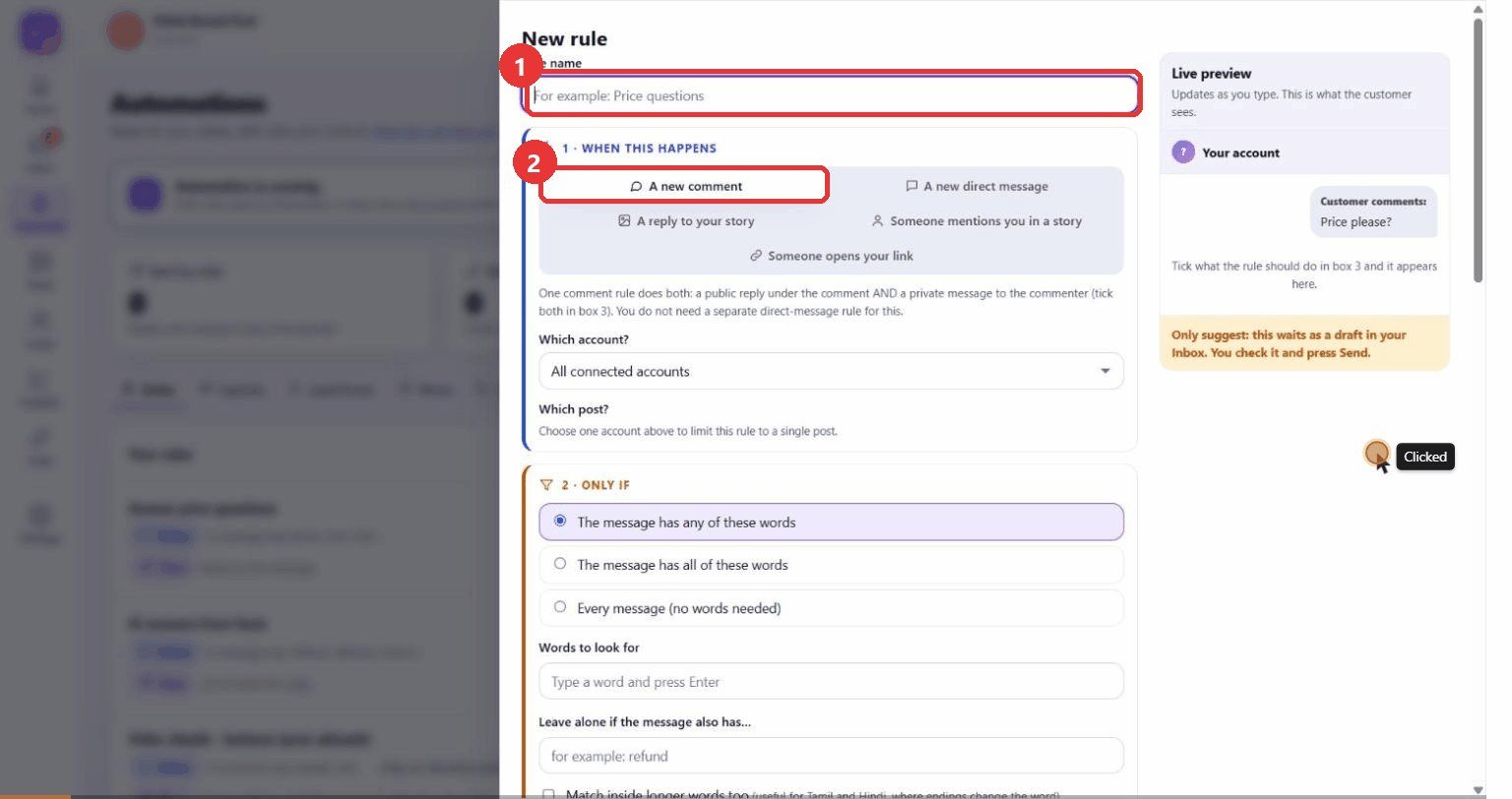
What to clickLeft menu: Automate. Press the purple New rule button, then type a name for the rule.
WhyEvery automation is a rule: "when this happens, do that". A clear name tells your team what the rule is for.
Use caseName it after the video or the offer, for example "Reel link reply".
2
Choose the account and the video
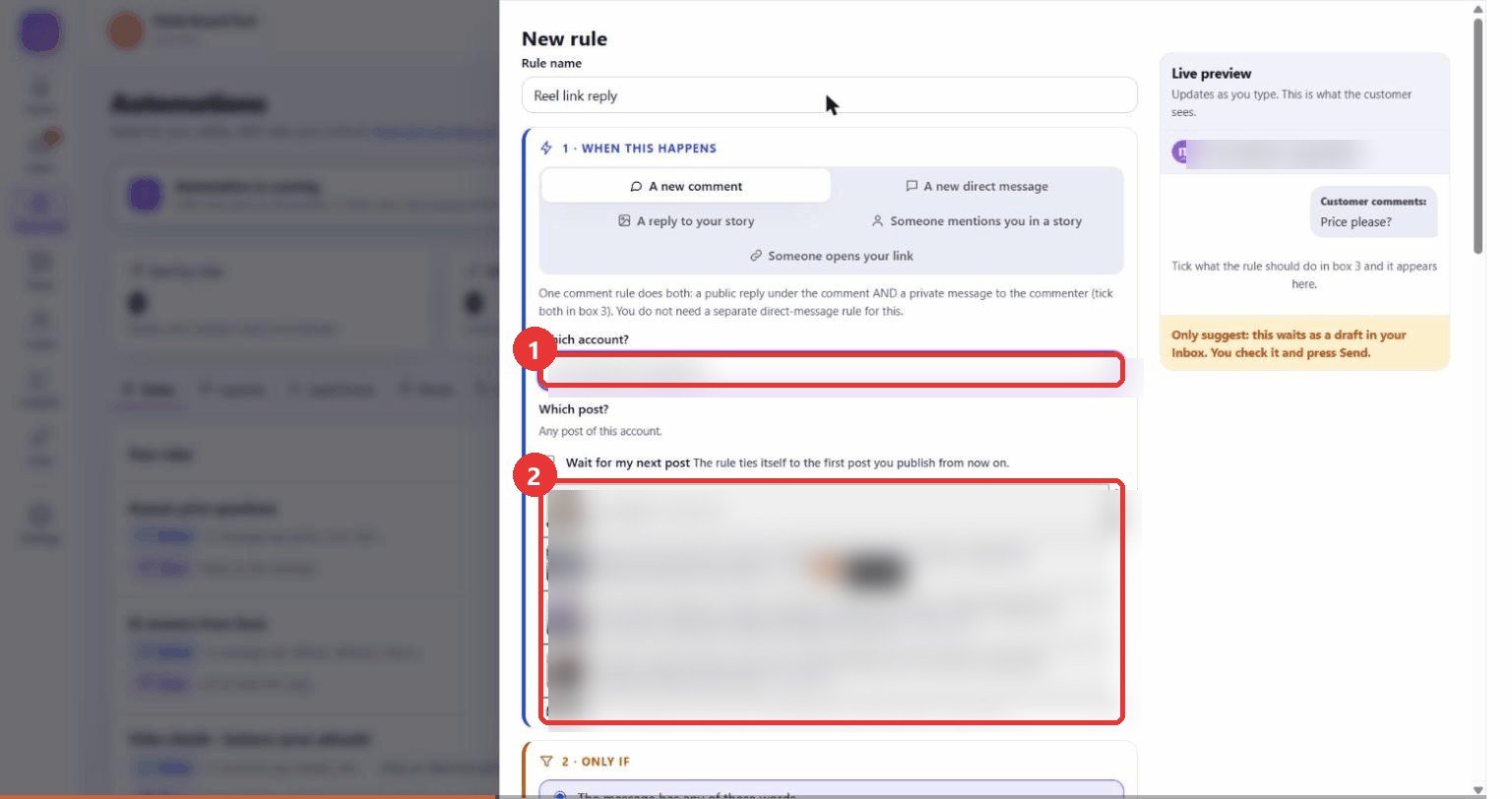
What to clickKeep A new comment selected. Choose the Instagram account under Which account?. In Which post? click the video you want. Any post undoes the choice.
WhyA rule tied to one video only reacts to comments on that video. Comments on your other posts are left alone. If the account stays on "All connected accounts", the list does not appear and the rule applies to every post.
Use caseYour Reel says "comment LINK for the details". Only the comments under that Reel get the link. Video not uploaded yet? Tick Wait for my next post and the rule ties itself to the next post you publish.
3
Type the words people will comment
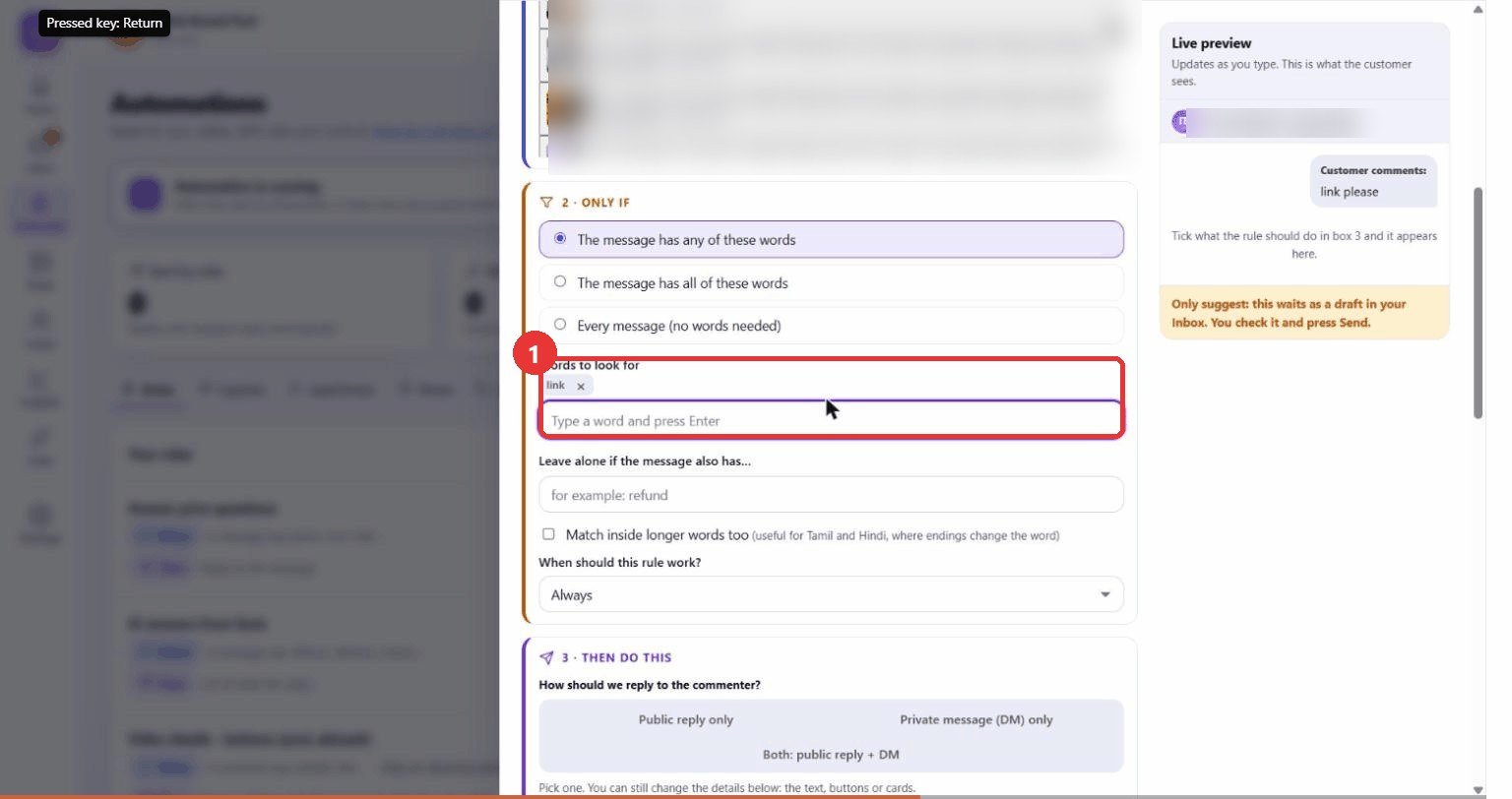
What to clickUnder 2 - Only if, click Words to look for, type a word such as
link and press Enter. Add more words the same way.WhyThe rule answers only comments that contain your words, so a comment like "nice video!" does not receive a link. Use Leave alone if the message also has for words that should stop the rule, such as "refund". For Tamil or Hindi comments tick Match inside longer words too.
Use caseAdd every word people actually type: link, details, info, price.
4
Choose how to reply
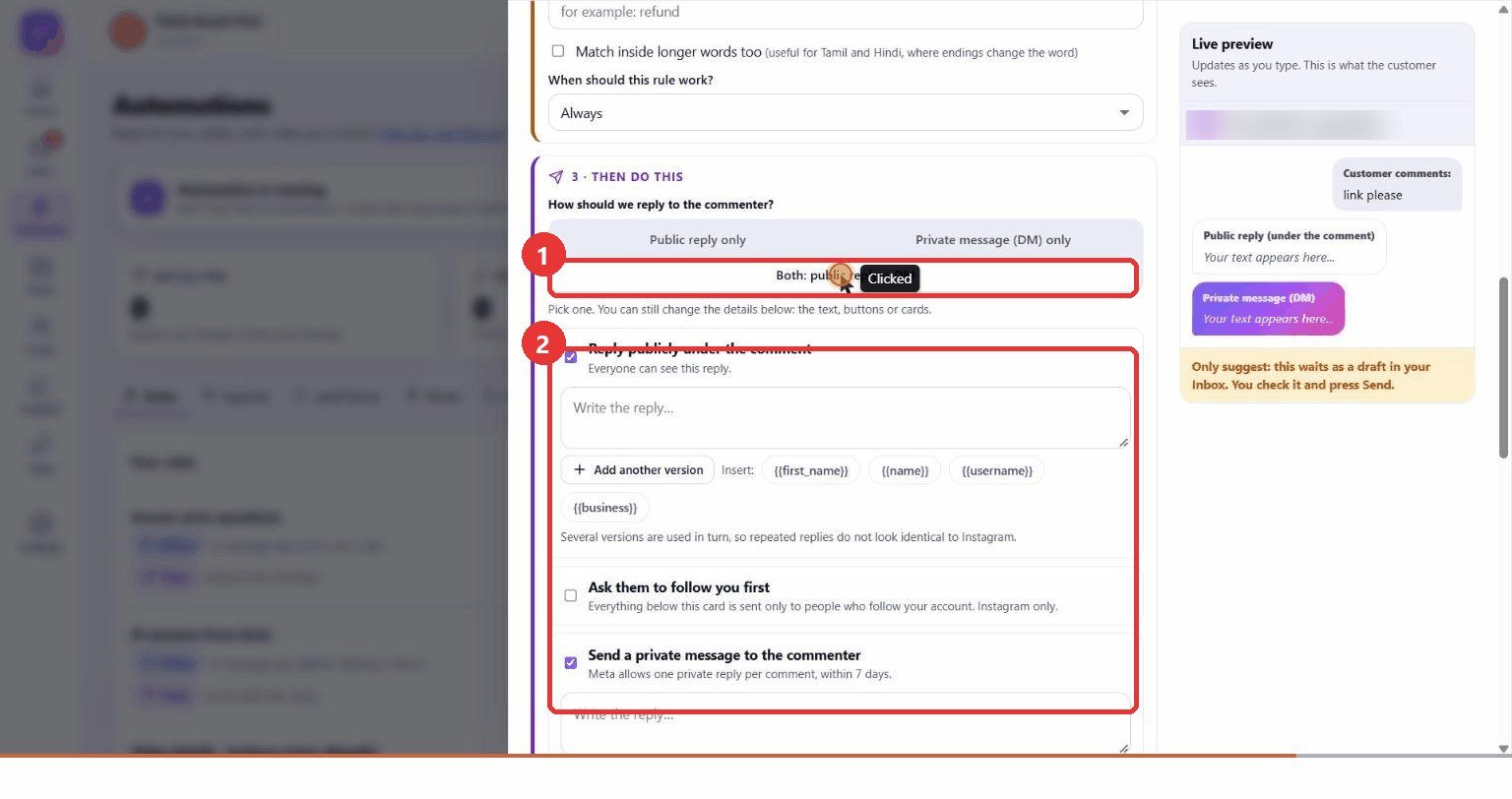
What to clickUnder 3 - Then do this choose Both: public reply + DM. Write the public reply and the private message. You can also add buttons or cards, ask people to follow first, or send products from your store.
WhyThe public reply shows everyone that you answer. The private message carries the link. Instagram allows one private message per comment, within 7 days of the comment.
Use casePublic: "Sent you the link in DM!" Private message: "Thanks for asking! Here is the link: ..."
5
Pick the mode and save
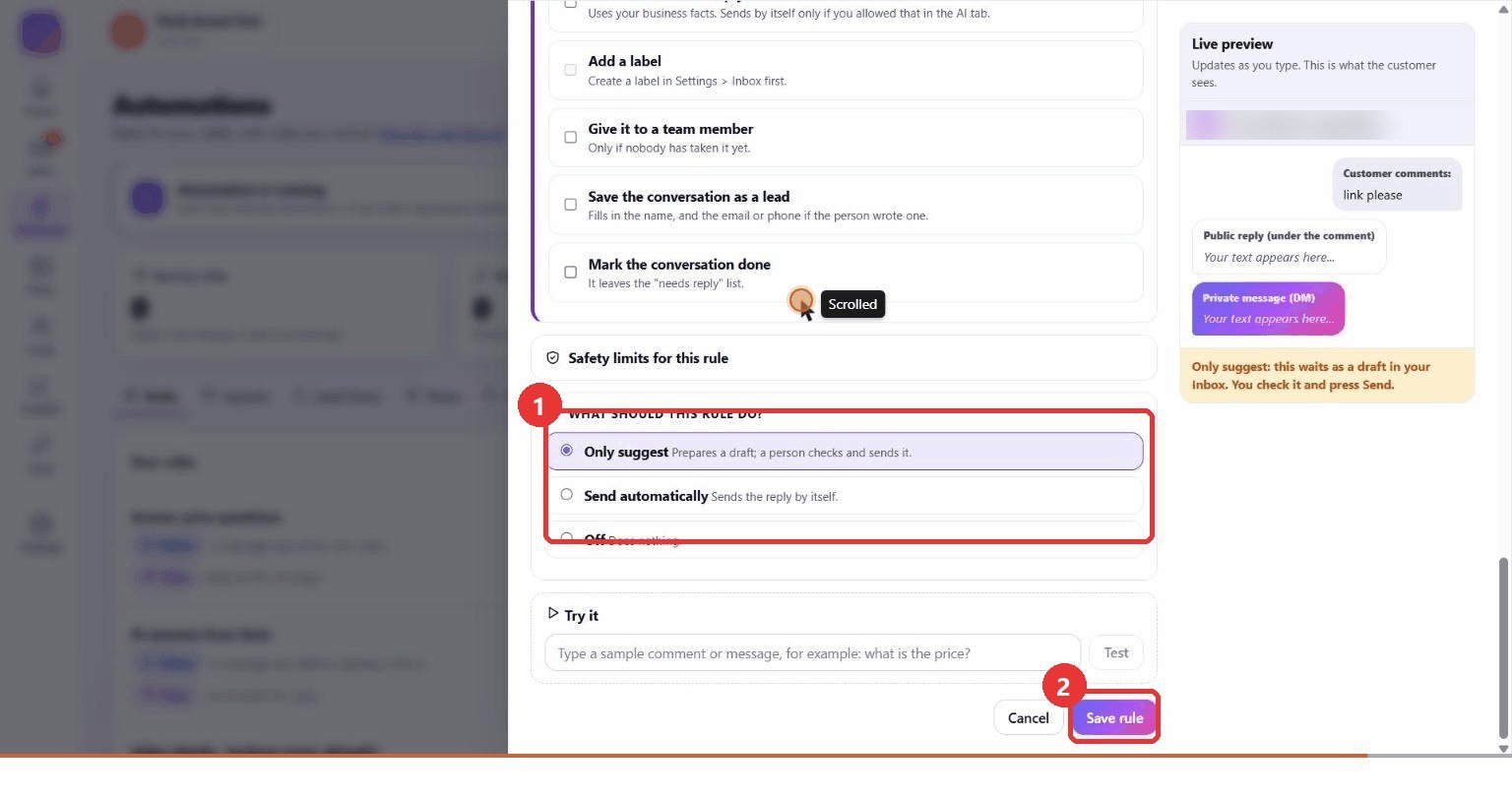
What to clickUnder What should this rule do? choose Only suggest. Optionally type a sample comment in Try it to see which rule answers. Press Save rule.
WhyOnly suggest prepares a draft that a person approves in the Inbox before anything is sent. It is the safe way to start. Send automatically sends the reply by itself. Off does nothing.
Use caseRun it as "Only suggest" for a day, check the drafts, then switch the rule to "Send automatically".
After saving
- Rules are checked from the top and the first matching rule answers. Use the arrows beside a rule to reorder.
- Automate > Activity shows every reply with the reason it was sent.
- A conversation gets at most 8 automatic replies in 24 hours, and people who write "stop" are left alone (the Safety tab).