← Threadline Social help / உதவி
Find out which post or reply brings customers
A tracked link is a short address that sends people to your page and counts the clicks. Make one for each post, reply or message, and you see which one brings visitors, and how many became leads.
The same steps as a short video with captions (about 1 minute, no sound). In the pictures below, the red boxes marked 1 2 3 show where to look.
1
Open Links and press "New link"
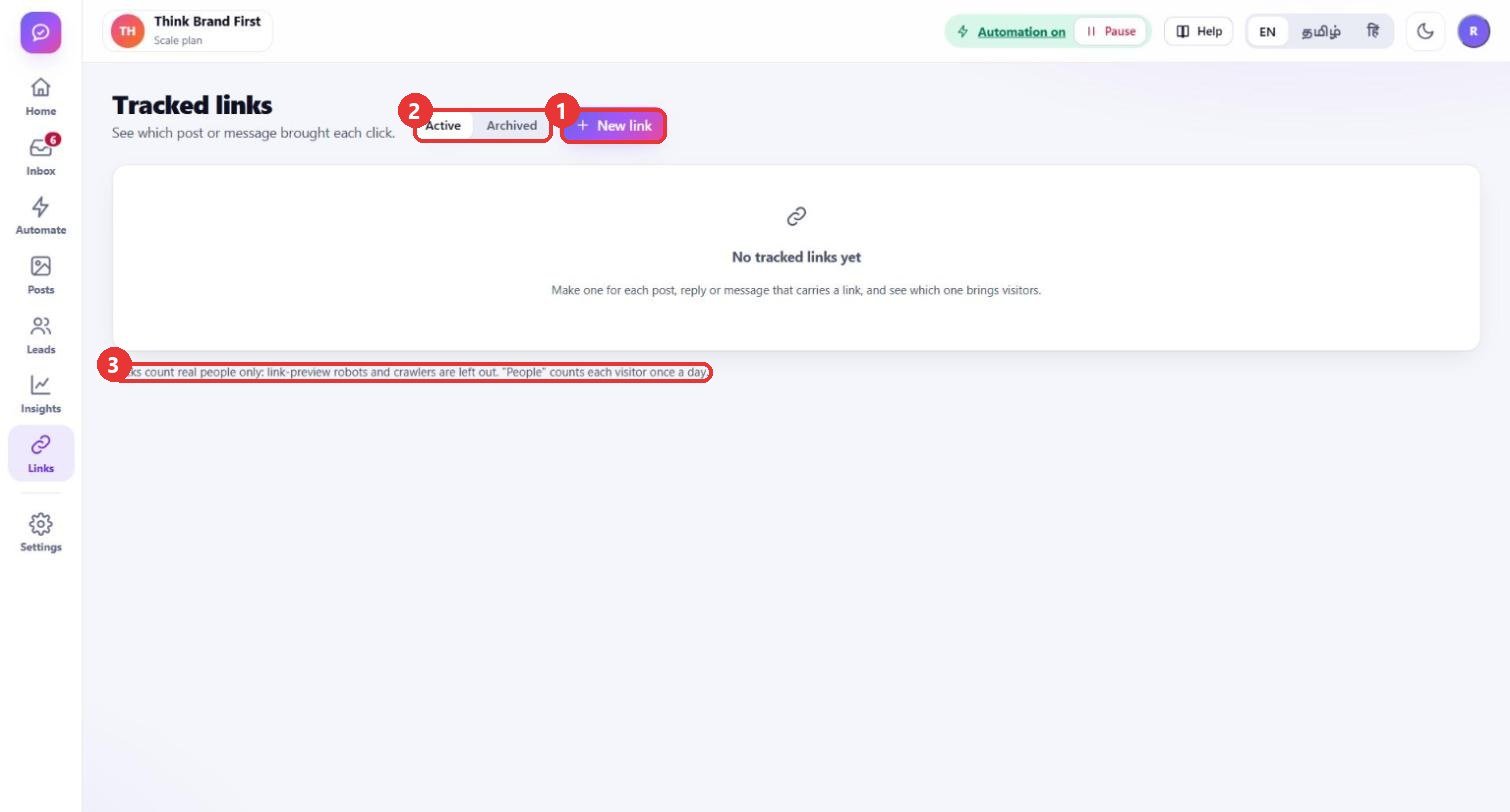
What to clickLeft menu: Links. Press New link. Created links are listed under Active; links you no longer use move to Archived.
WhyWithout a tracked link you only see "traffic from Instagram". With one link per post, reply or message you see which one actually brought each click.
Use caseYour Diwali sale appears in a Reel, in a reply to comments and in a story. Make three links, one for each place, and compare.
2
Fill in the form
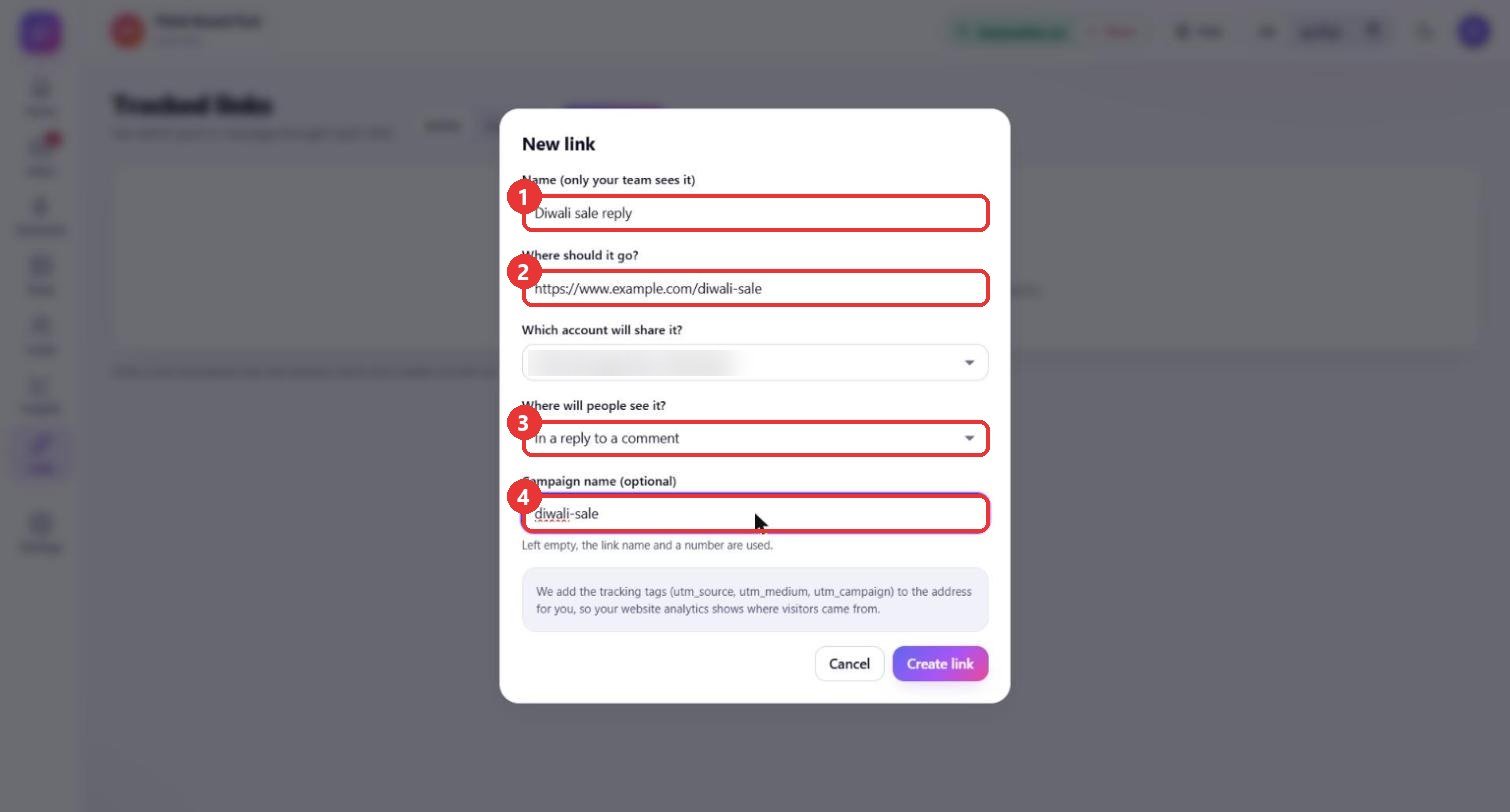
What to clickType a Name only your team sees. Paste the page the link should open under Where should it go?. Choose the account that will share it. Under Where will people see it? choose In a reply to a comment, In a direct message or In a post or caption. Add a Campaign name if you like.
WhyThe name, the account and the place are saved with the link, so the numbers later say exactly which post or reply they belong to. The campaign name groups links of one offer together in your website analytics.
Use caseName: "Diwali sale reply". Goes to: your sale page. Where: "In a reply to a comment". Campaign: "diwali-sale".
3
Create it and use it
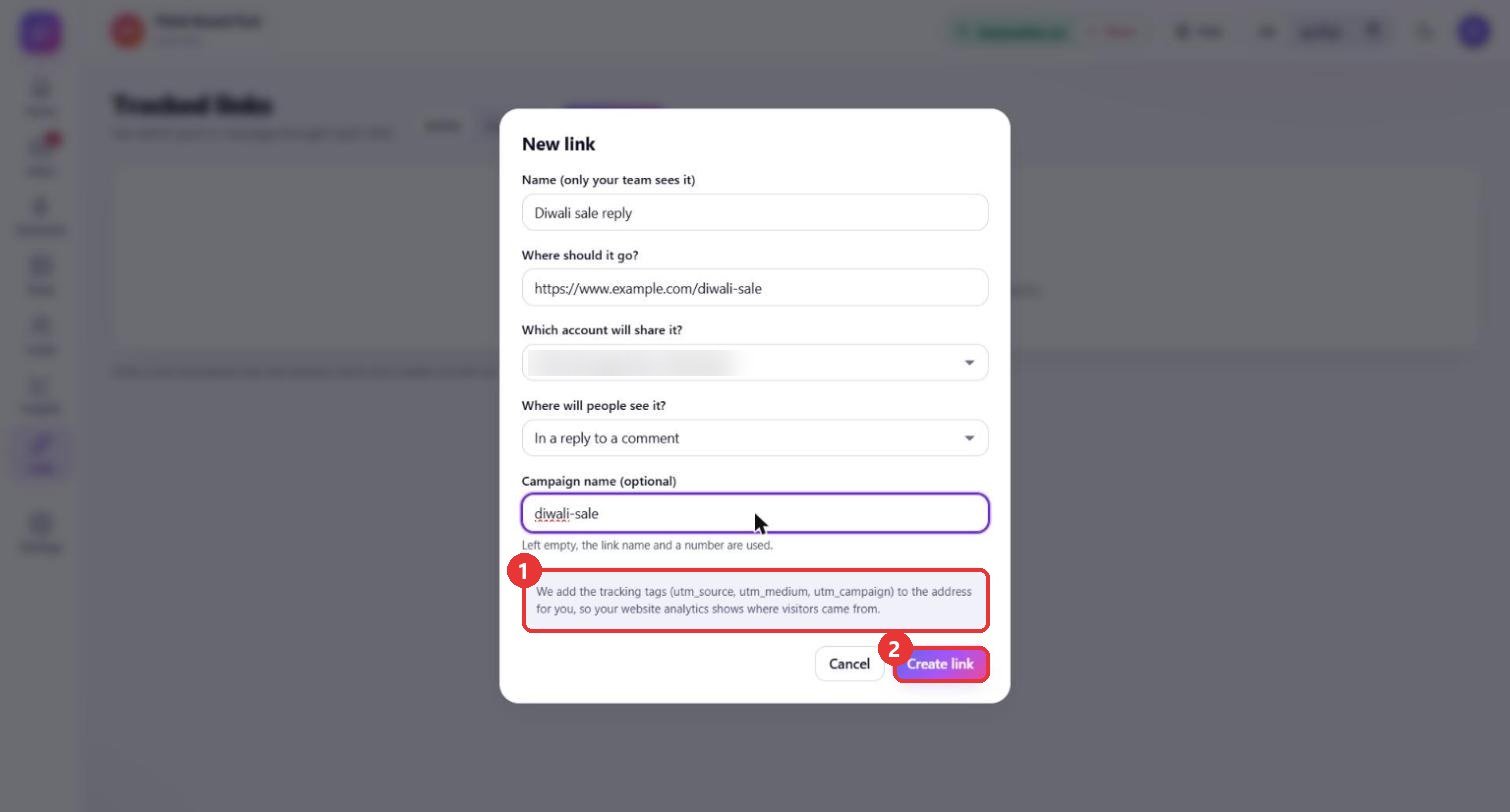
What to clickPress Create link. The link appears in the list with its Short link. Press Copy and paste it into your post, comment reply, direct message, or into the text of an automatic reply.
WhyThreadline adds the tracking tags (utm_source, utm_medium, utm_campaign) to your address for you, so your website analytics (for example Google Analytics) also shows where visitors came from. Clicks count real people only: link-preview robots are left out, and "People" counts each visitor once a day.
Use casePaste the short link in your rule's private message: "Here is the sale page: [short link]". A week later open Links and see which link got the most clicks.
Good to know
- Clicks counts every real click; People counts each visitor once a day; Leads shows how many became leads.
- The short link looks like your studio address followed by
/l/and a code. Only the link you copy counts, so always paste the short one, not the long page address. - The account name in the form is blurred in the pictures.