← Threadline Chat video guides / வீடியோ வழிகாட்டிகள்
Teach the AI assistant and choose how it answers
The AI agent answers customers from the answers you approve. You choose whether it only suggests, drafts, or answers by itself. About five minutes.
The same steps as a short video with captions (about 1 minute, no sound). In the pictures below, the red boxes marked 1 2 3 show where to look.
1
See the saved answers
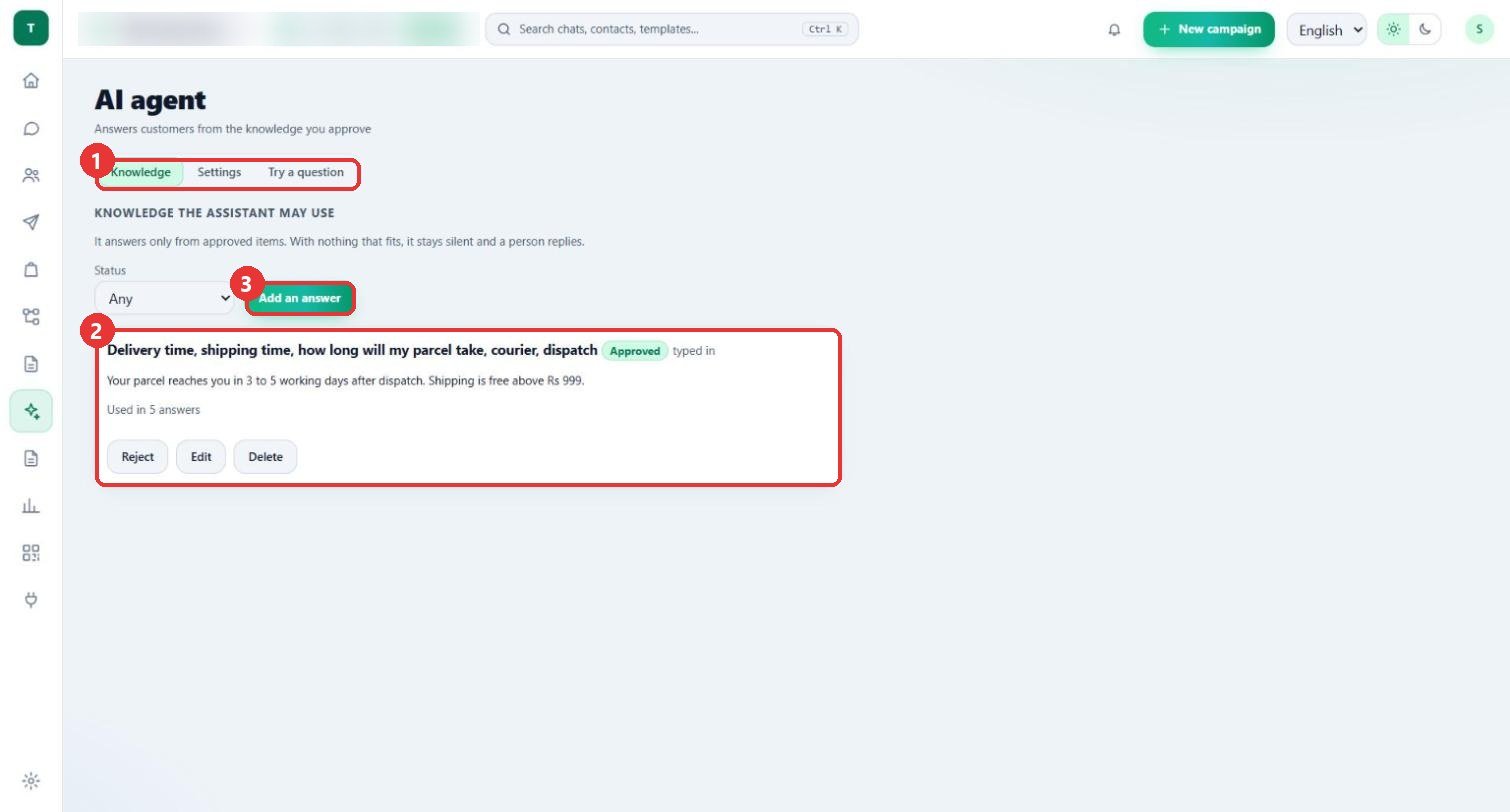
What to clickOpen AI agent > Knowledge. Each answer shows Approved, how it was added (typed in) and Used in 5 answers. Buttons: Reject, Edit and Delete.
Why"It answers only from approved items. With nothing that fits, it stays silent and a person replies."
Use caseDelivery time is the question customers ask most, so it is the first answer to save.
2
Add an answer
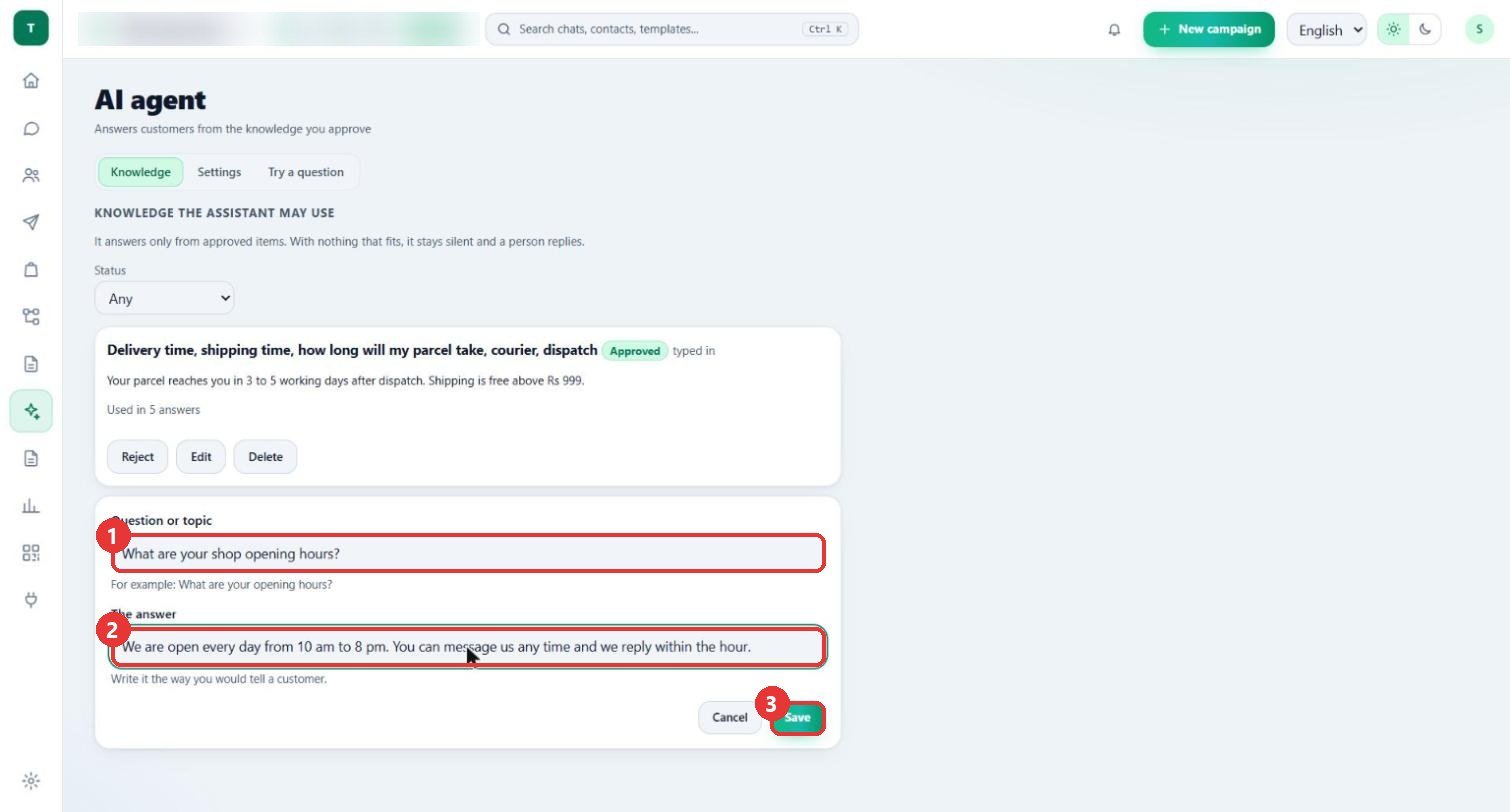
What to clickPress Add an answer. Type the Question or topic and write The answer the way you would tell a customer. Press Save.
WhyAn answer that matches is sent straight from your saved answers: free, and not counted against the monthly limit.
Use case"What are your shop opening hours?" with the answer "We are open every day from 10 am to 8 pm."
3
Choose what it may do
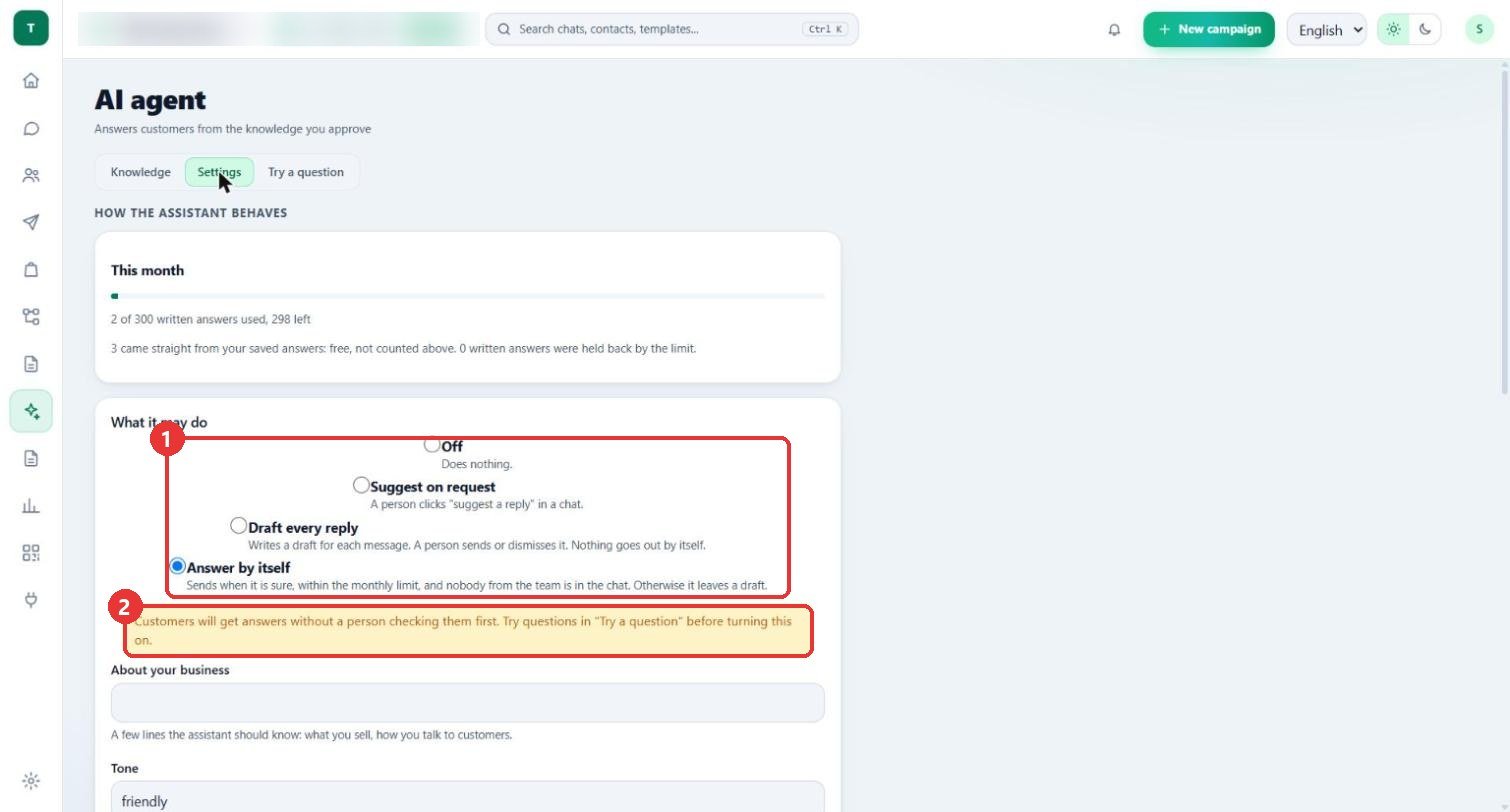
What to clickOpen Settings. Under What it may do choose Off, Suggest on request, Draft every reply or Answer by itself.
WhyAnswer by itself sends when it is sure, within the monthly limit, and nobody from the team is in the chat; otherwise it leaves a draft. The yellow note says customers get answers without a person checking first.
Use caseStart with Draft every reply, check the drafts for a week, then switch to Answer by itself.
4
Watch the monthly use
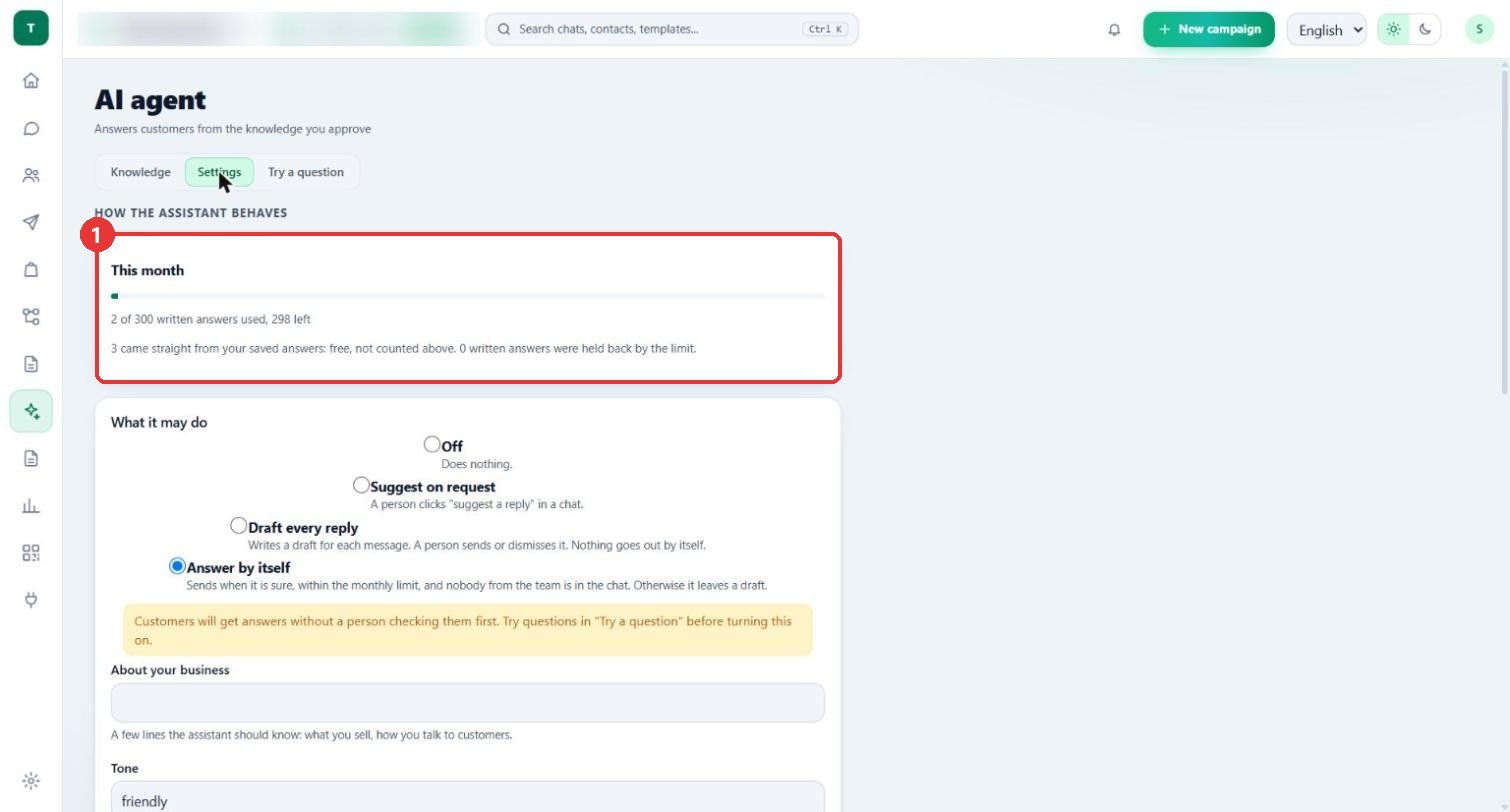
What to clickThe This month card shows how many written answers are used (here 2 of 300) and how many came straight from your saved answers.
WhySaved answers are free and not counted. Only answers the assistant writes count against the limit.
Use case"0 written answers were held back by the limit" tells you the limit has not stopped anyone.
5
Try a question
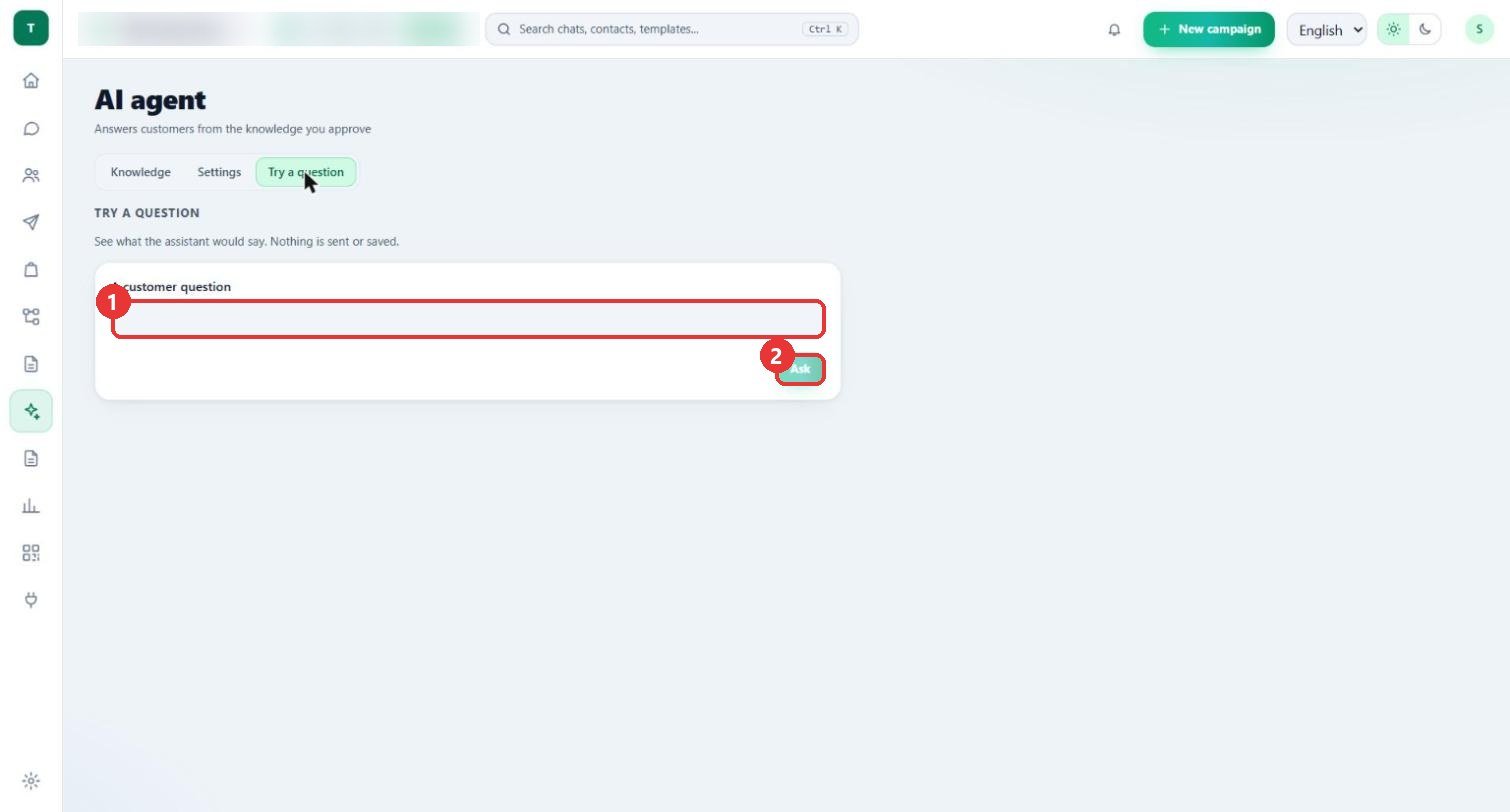
What to clickOpen Try a question, type A customer question and press Ask.
Why"See what the assistant would say. Nothing is sent or saved."
Use caseAsk "How long will my parcel take?" before you turn on Answer by itself.
Good to know
- No customer data appears in these pictures; the workspace name and number in the top bar are blurred.
- Nothing was saved: the sample question and answer were typed and then the form was cancelled. The list still has one saved answer.
- Ask was not pressed, so no AI answer was used for this guide.
- This workspace is currently in a test setup, so "Answer by itself" is selected in the picture.