← Threadline Social help / உதவி
Let AI help with your answers
Teach the AI your prices, delivery and returns once. Then it can draft replies for your team, and answer simple questions by itself when you allow it. A person can always read and change a draft first.
The same steps as a short video with captions (about 1 minute, no sound). In the pictures below, the red boxes marked 1 2 3 show where to look.
1
Switch on AI drafts
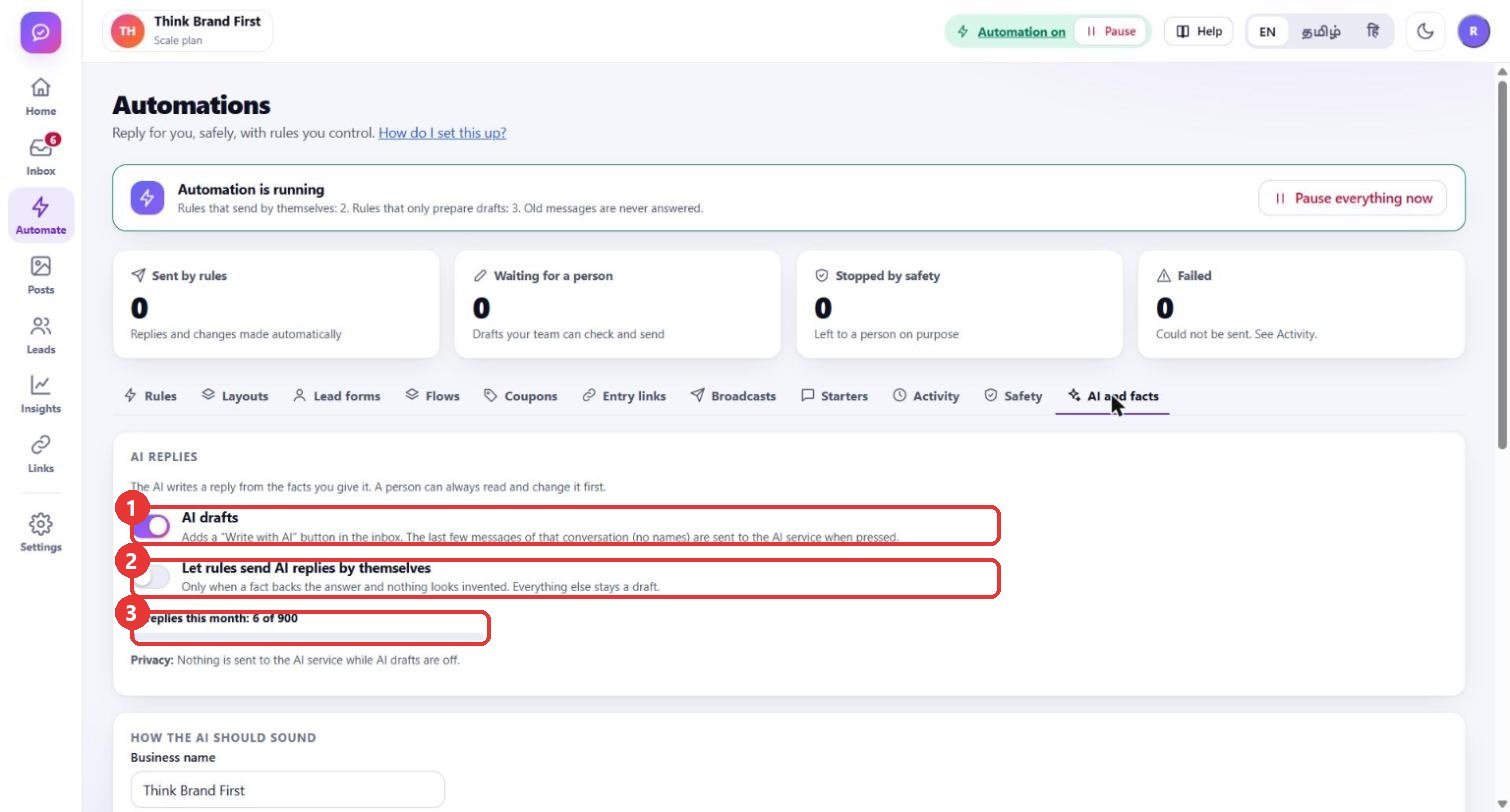
What to clickAutomate > AI and facts. Turn on AI drafts. Leave Let rules send AI replies by themselves off for now. The bar shows how many AI replies you used this month.
WhyAI drafts add a "Write with AI" button in the Inbox. Nothing is sent until a person presses Send. Nothing goes to the AI service while AI drafts are off. The second switch lets a rule send an AI answer without a person, and only when a fact backs the answer.
Use caseStart with drafts only. Switch the second one on later, when the drafts have been right for a week.
2
Say how the AI should sound
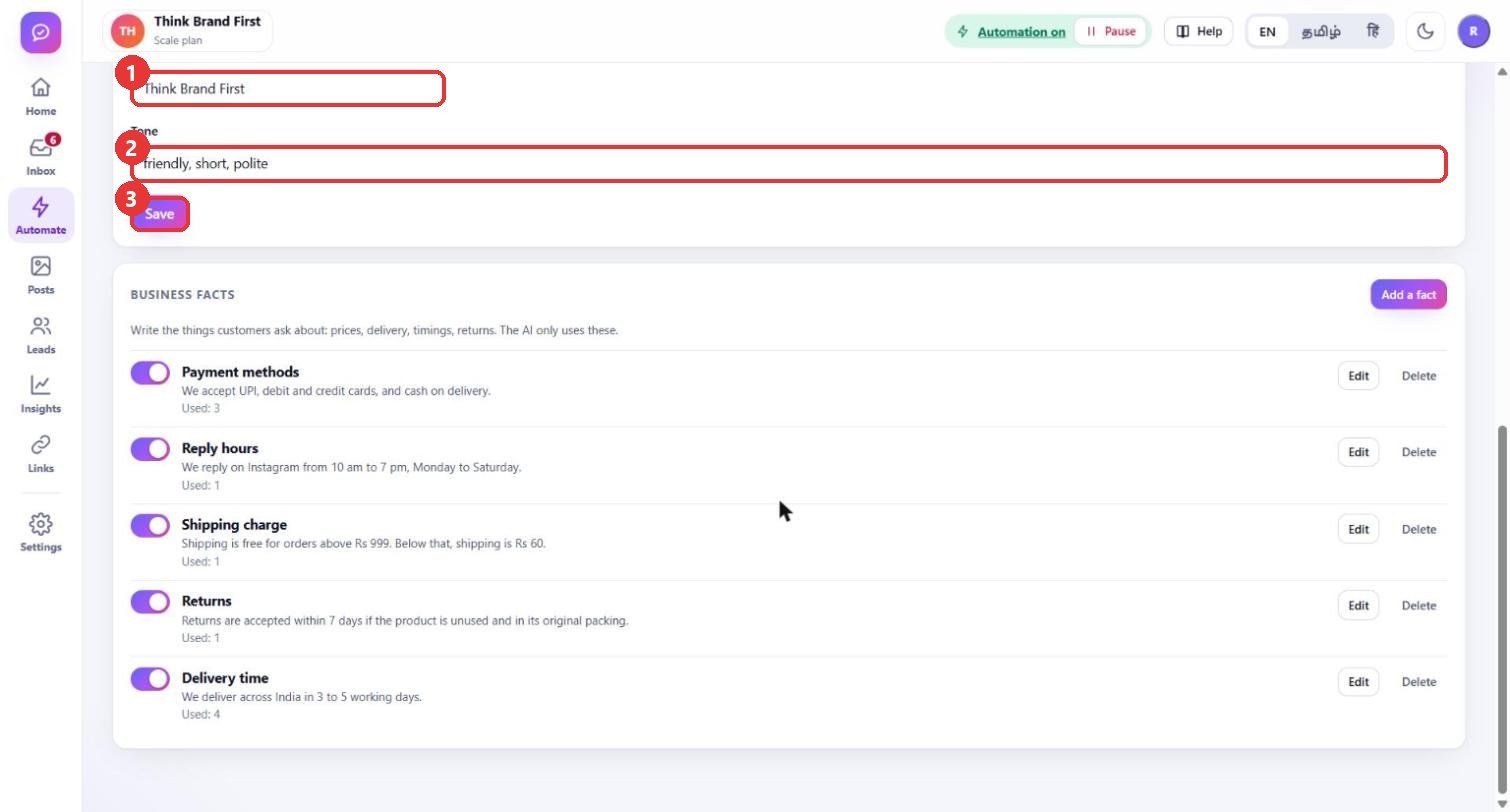
What to clickUnder How the AI should sound check the Business name, write the Tone in a few words and press Save.
WhyThe business name and the tone are added to every draft, so replies sound like you and not like a robot.
Use caseTone: "friendly, short, polite". For a Tamil shop you can write "friendly, short, simple Tamil and English".
3
Fill in your business facts
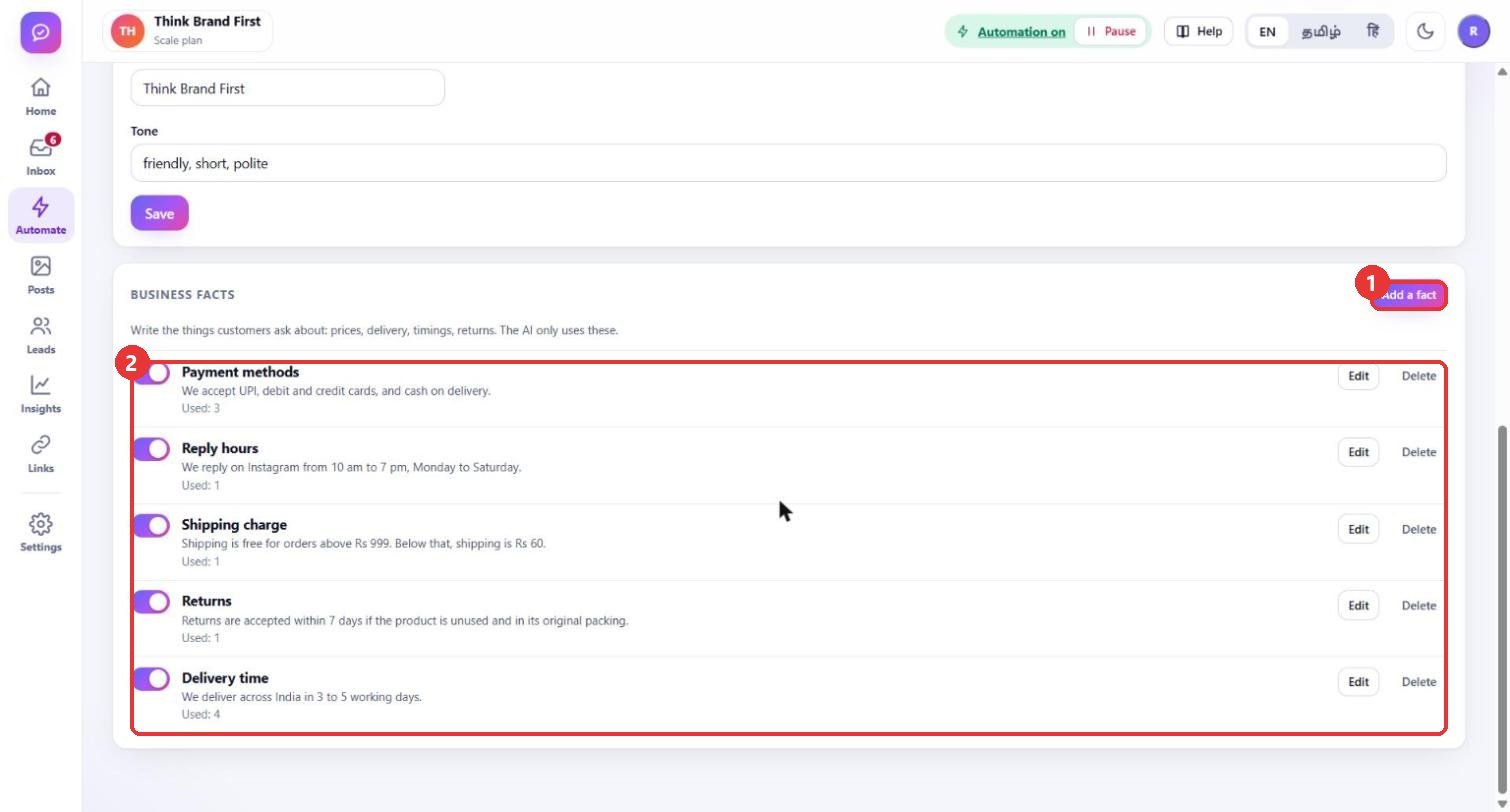
What to clickUnder Business facts press Add a fact for each thing customers ask about: prices, delivery, timings, returns. Use the switch beside a fact to turn it off for a while, Edit to change it.
WhyThe AI answers only from these facts. If the answer is not here, it does not guess and the message stays for a person. "Used" shows how many times a fact helped an answer.
Use caseKeep one fact per question: "Delivery time", "Shipping charge", "Returns", "Payment methods", "Reply hours".
4
Add one fact
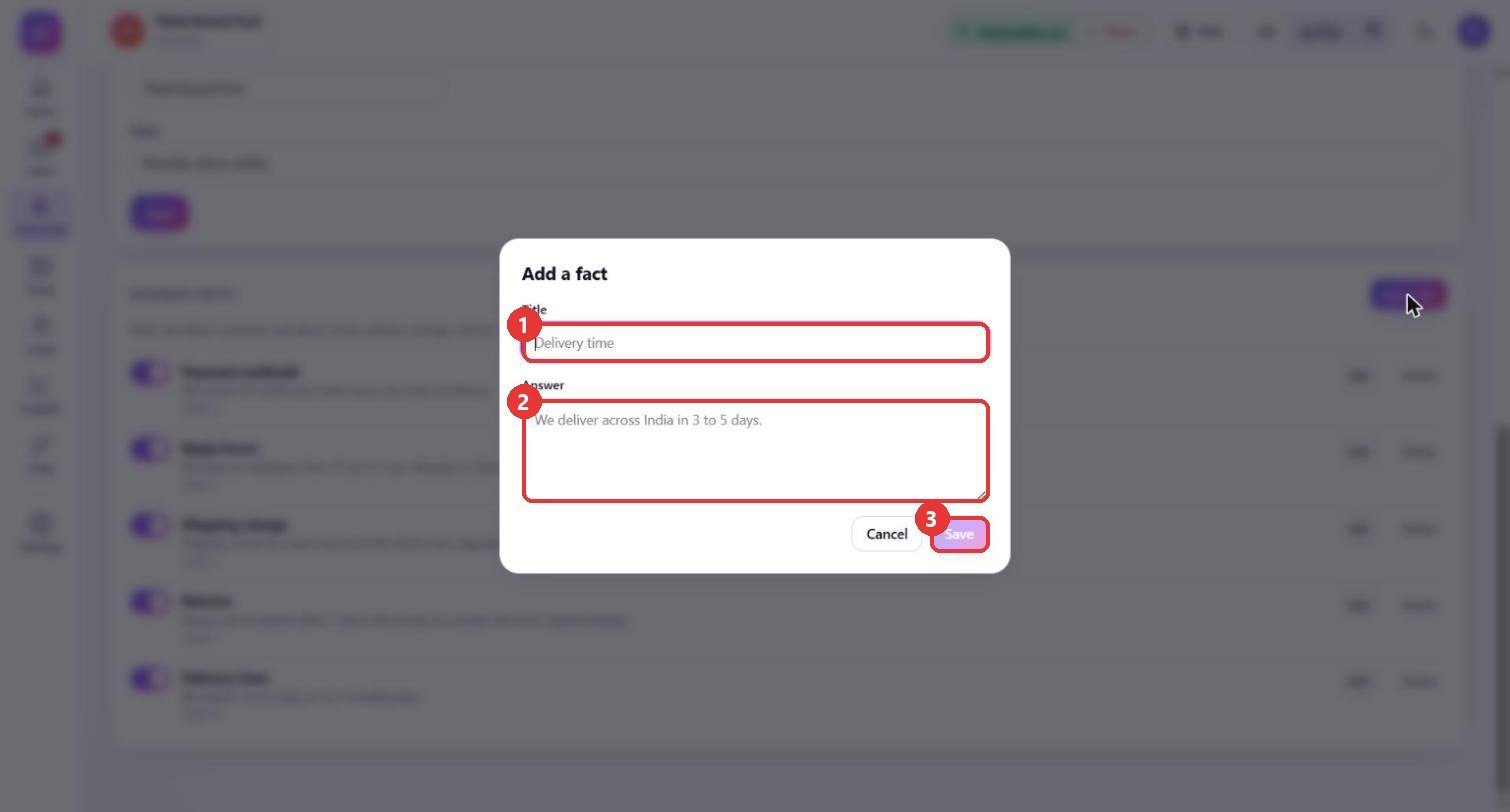
What to clickType a short Title and the Answer exactly as you want customers to hear it, then press Save.
WhyA short, plain, complete answer gives the AI something safe to quote. Put numbers and dates in the answer itself, so nobody has to ask again.
Use caseTitle: "Delivery time". Answer: "We deliver across India in 3 to 5 working days."
5
Use "Write with AI" in the Inbox
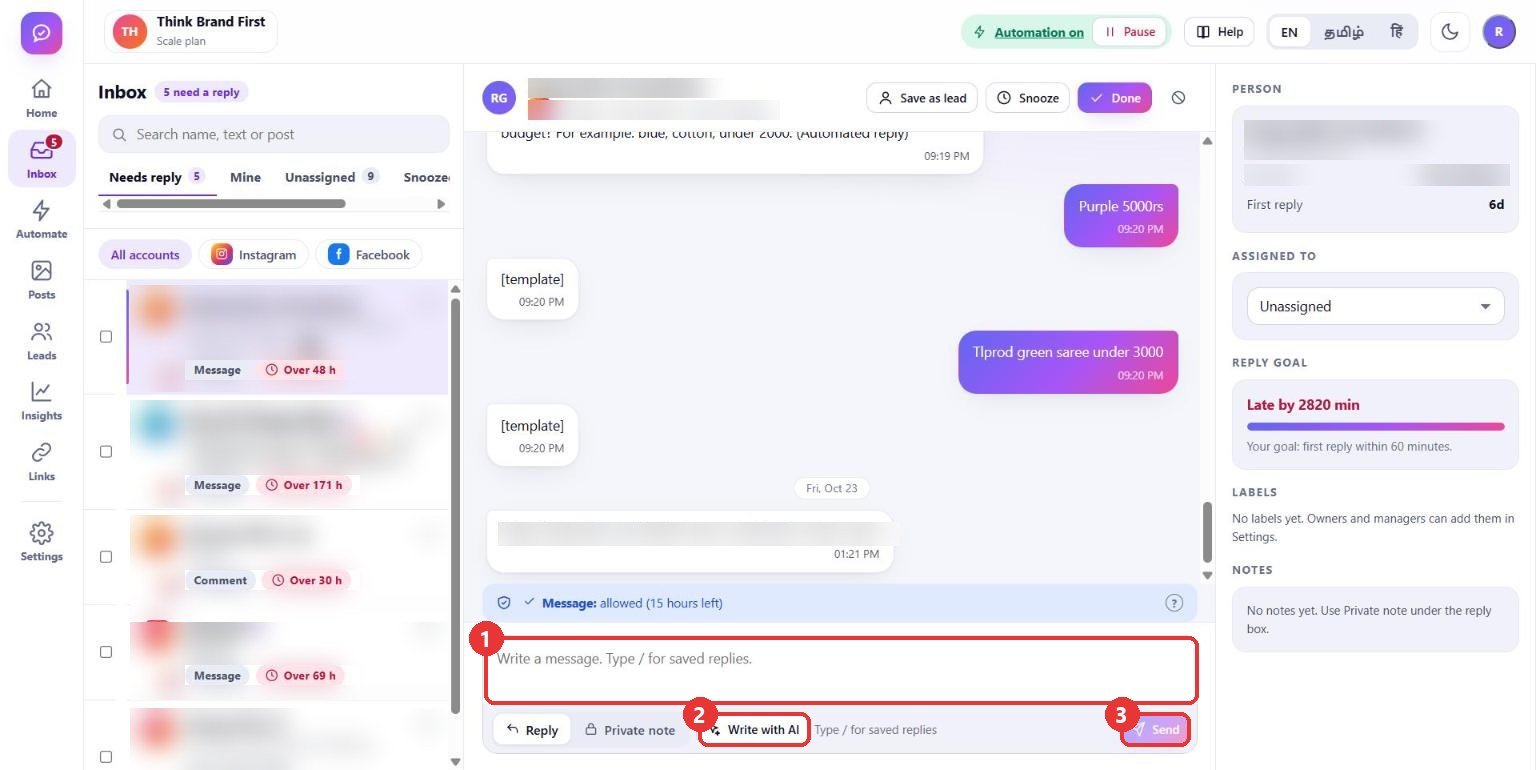
What to clickOpen a conversation, press Write with AI under the reply box, read the draft, change what you want and press Send.
WhyThe AI reads the last few messages of that conversation (without names) and your facts, and writes a draft. You stay in control: edit it, or throw it away.
Use caseA customer asks "Do you ship to Madurai and how long?". Press Write with AI, check the days and the charge in the draft, then Send.
6
Let a rule use the AI
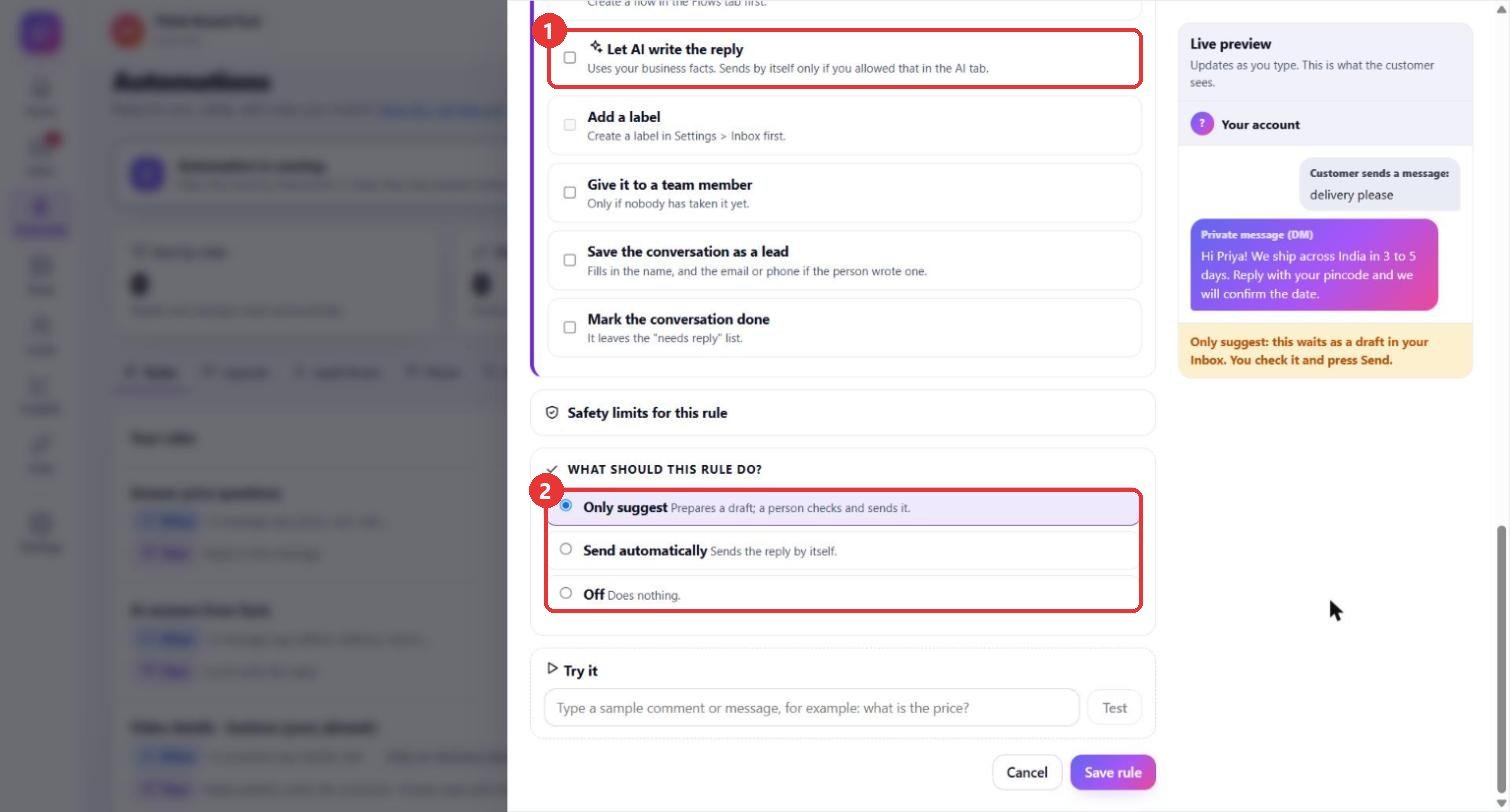
What to clickIn a rule, under 3 - Then do this, tick Let AI write the reply. Keep Only suggest so the answer waits as a draft.
WhyThe rule decides when the AI is asked (for example, messages with the word "delivery"), and the facts decide what it may say. Drafts wait for a person unless you allowed AI to send by itself in step 1.
Use caseA rule "AI answers from facts" for words like delivery, return, payment: the AI drafts, your team approves in the Inbox.
Good to know
- The AI never invents a price or a date: if no fact backs the answer, the message stays for a person.
- Messages are sent to the AI service only when someone presses Write with AI or a rule you made asks for it.
- Review the facts after every price or policy change, because the AI repeats them exactly.
- Customer names, handles and the account list are blurred in these pictures.