← Threadline Social help / உதவி
Connect your online store (Shopify)
Type your shop address once. Then customers who ask "do you have a blue shirt under 2000?" get matching products as cards, with price and link, and you can pick products into your own cards. Threadline asks for no password and never changes your store.
The same steps as a short video with captions (about 1 minute, no sound). In the pictures below, the red boxes marked 1 2 3 show where to look.
1
Type your store address
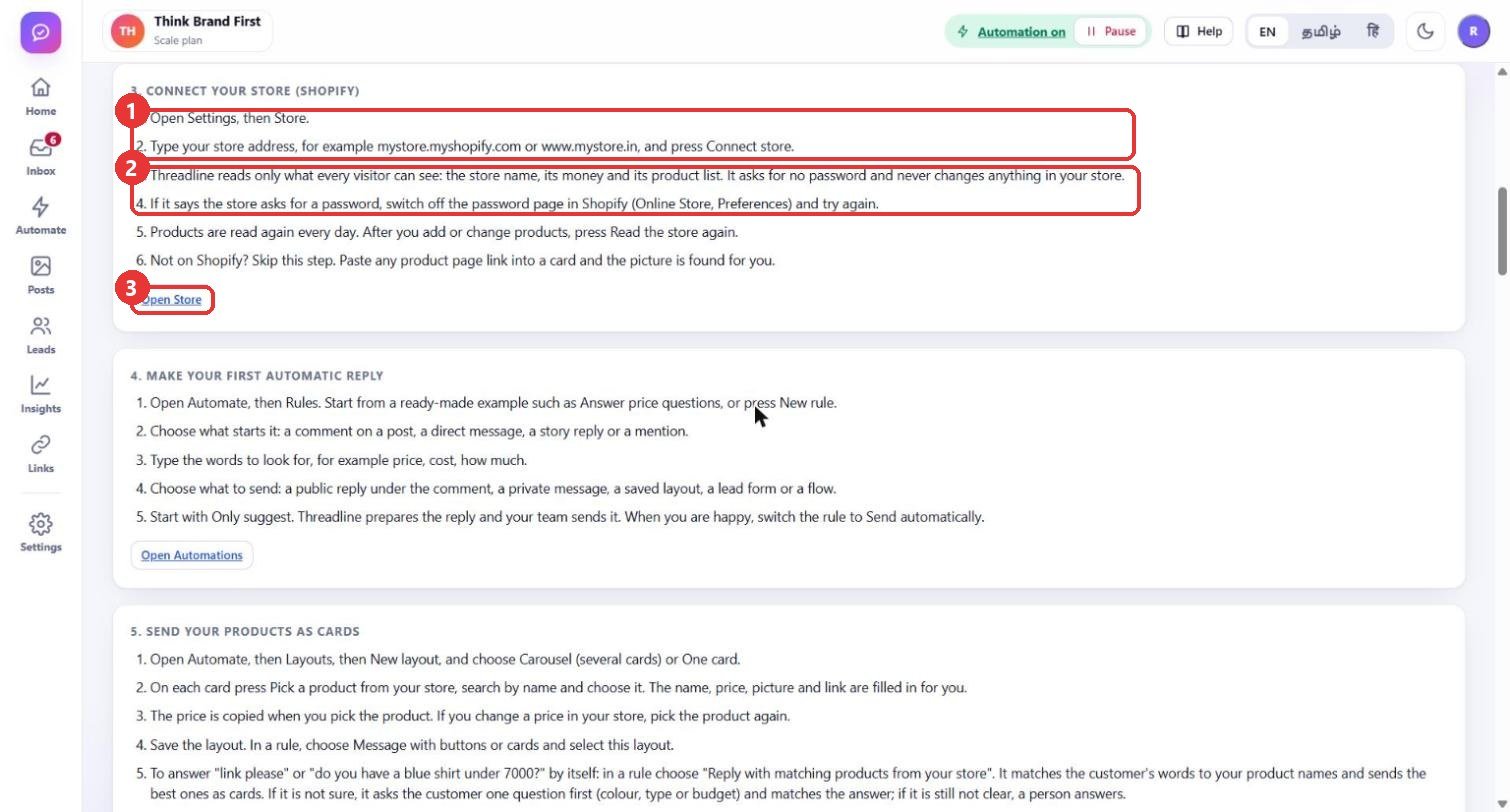
What to clickOpen Settings > Store. Type your store address, for example
mystore.myshopify.com or www.mystore.in, and press Connect store. This page is the built-in Guide: the Open Store button takes you there.WhyThreadline reads only what every visitor to your shop can already see: the store name, its currency and its product list. It asks for no password or key and never changes anything in your store. If it says the store asks for a password, switch off the password page in Shopify (Online Store > Preferences) and try again.
Use caseYour shop is www.mystore.in: type exactly that and press Connect. You do not need to install anything in Shopify.
2
Check the connection
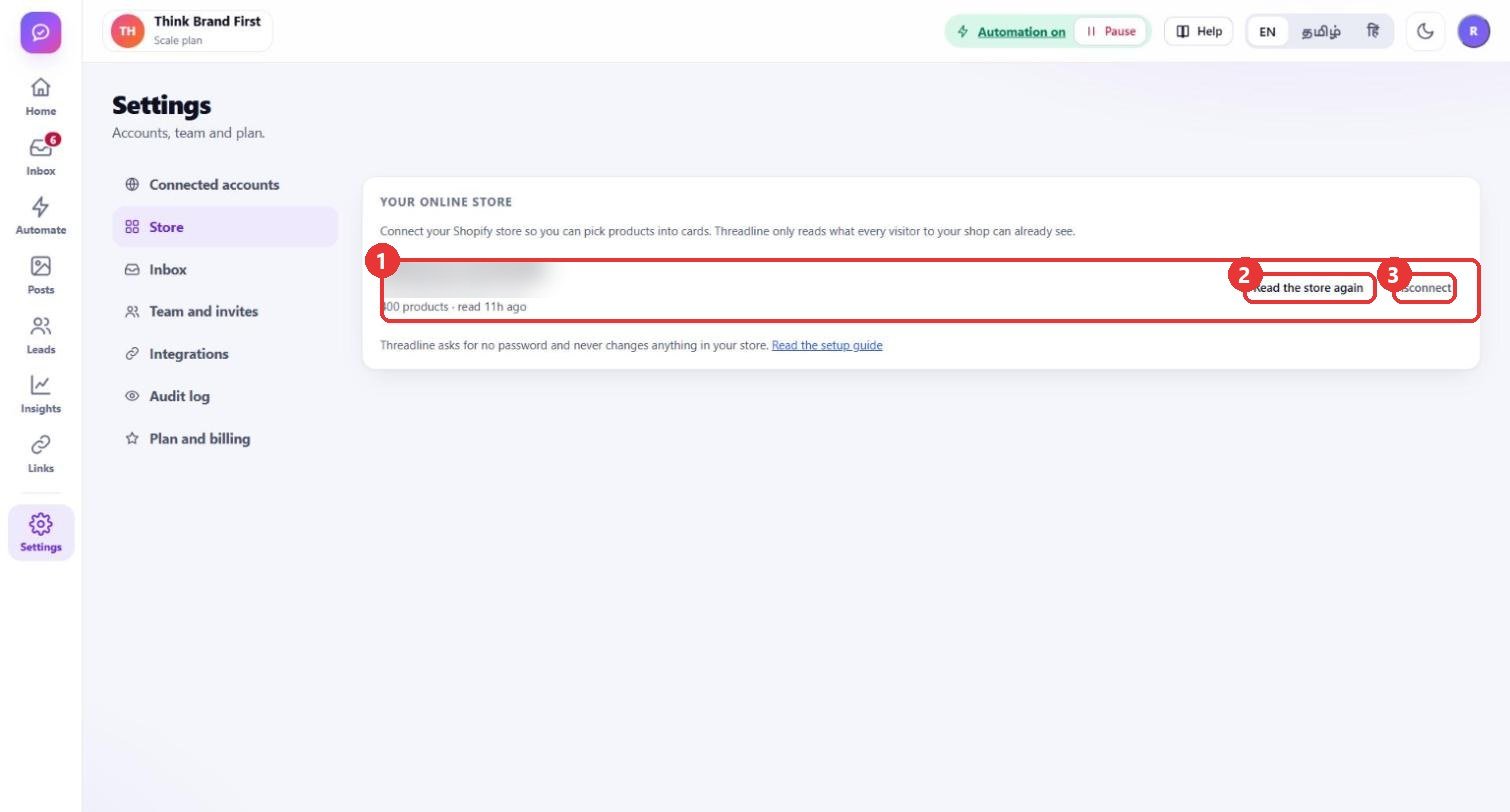
What to clickAfter connecting, the card shows your shop, its currency, how many products were read and when. Read the store again reads the products now. Disconnect removes the connection.
WhyProducts are read again every day by themselves. Press Read the store again after you add products or change a price, so cards show the new price at once. Disconnecting only stops reading; nothing in your store changes.
Use caseYou launched a new collection this morning: press "Read the store again", then ask a friend to message "show me the new kurta" to see the cards.
3
Answer product questions with cards
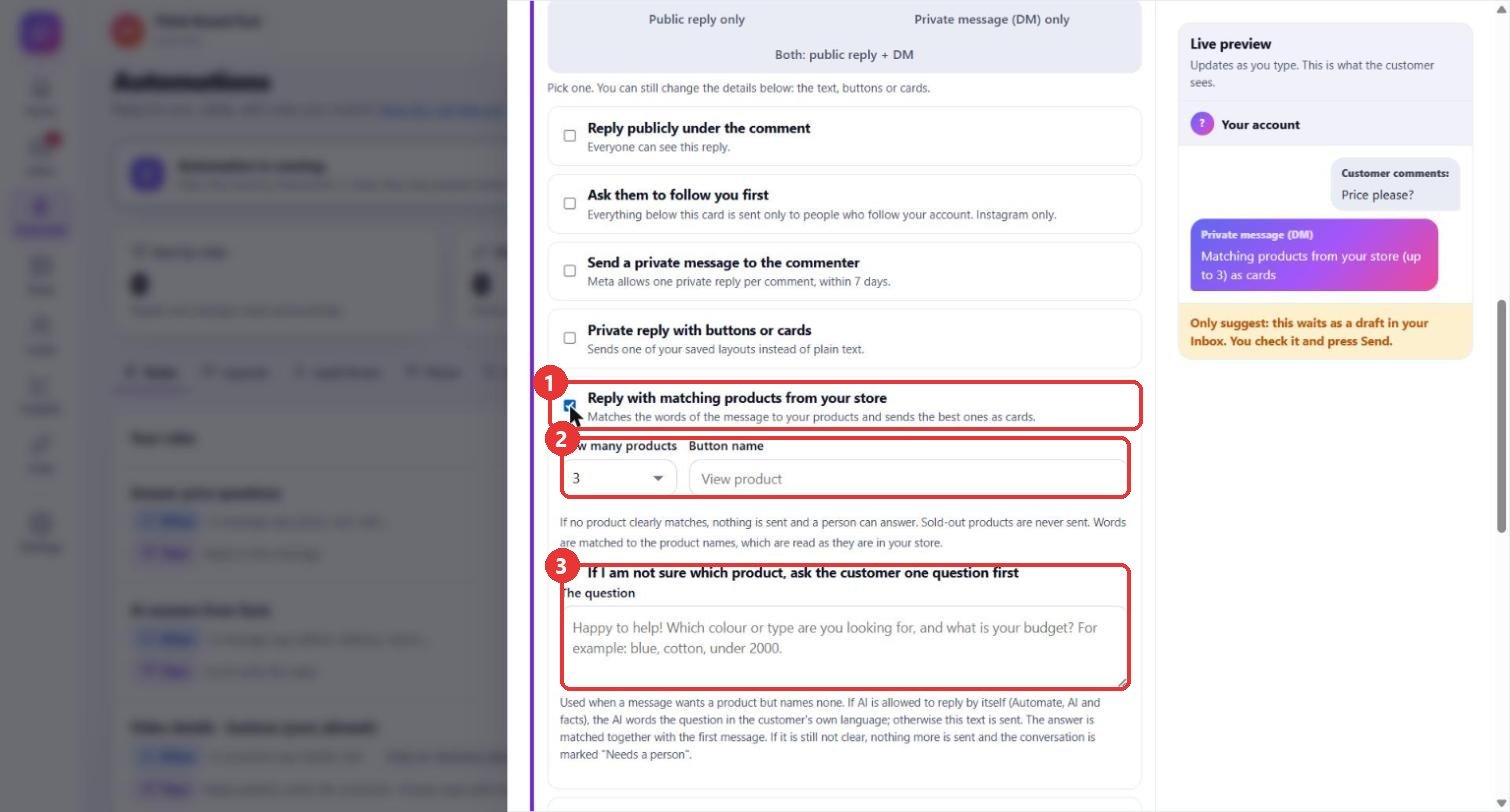
What to clickIn a rule (Automate > New rule), under 3 - Then do this, tick Reply with matching products from your store. Choose How many products (up to 5) and the Button name. Keep If I am not sure which product, ask the customer one question first ticked and write the question.
WhyThe customer's words are matched to your product names and the best ones go back as cards. Sold-out products and products above the budget the customer wrote ("under 7000") are never sent. If nothing clearly matches, nothing is sent and a person answers.
Use caseCustomer: "blue cotton shirt under 2000". The rule sends up to 3 matching shirts. Customer: "link please" (no product named): the rule first asks "Which colour or type, and what is your budget?" and then matches the answer.
Good to know
- Words are matched to the product names as written in your store (English names). A customer who writes the product in Tamil or Hindi letters is left to your team.
- You can also pick a product into a card yourself: Automate > Layouts > New layout, then Pick a product from your store on a card. Name, price, picture and link are filled in for you.
- Start the rule as Only suggest, check the first drafts in the Inbox, then switch it to Send automatically.
- Step 1 shows the built-in Guide page, because the address box is replaced by the store card once a store is connected.
- The store name and address are blurred in the pictures.