
EARLY ACCESS · OFFICIAL WHATSAPP BUSINESS PLATFORM
Sell on WhatsApp.
Never lose a chat.
A shared inbox for your whole team, product cards from your store, payment inside the chat, automatic lead rating and a visual flow builder. Built on the official WhatsApp Business API, on your own number.
14-day free trial · No card needed
Your own WhatsApp number · Set up with you · Pricing shared on the demo call
THE REAL PROBLEM
WhatsApp is where your customers ask. It is also where sales slip away.
One phone, one person, a hundred chats. Nobody else can see what was promised, who is hot, or who already paid.
ONE PHONE
The number lives on one handset
When that person is away, the business goes quiet. A shared inbox lets any teammate pick the chat up.
NO FOLLOW-UP
Hot buyers look like everyone else
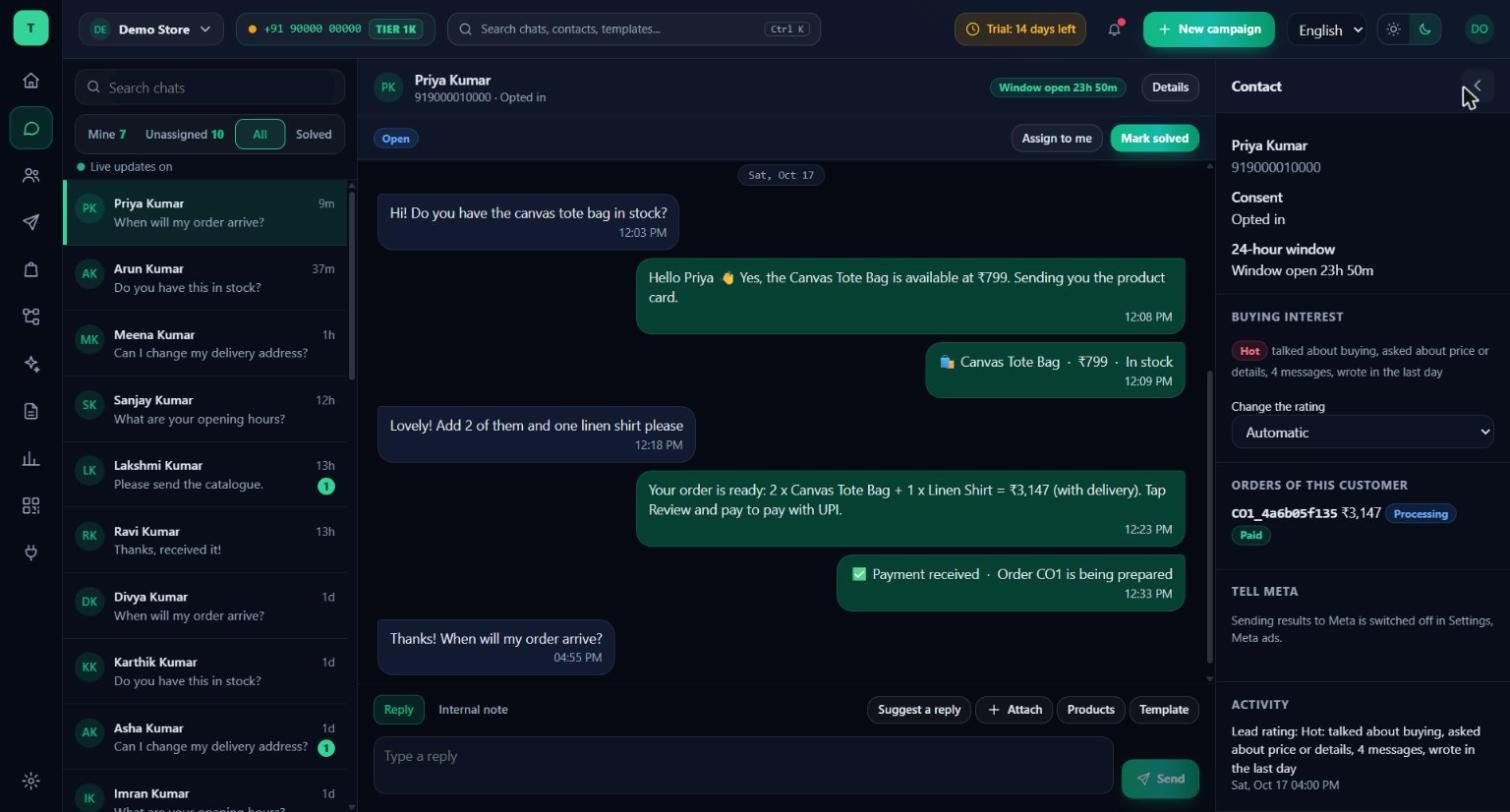
Threadline rates every customer who writes as hot, warm or cold, so your team calls the right person first.
A LEAKY CHECKOUT
The sale ends where the chat ends
Send the product, take the order and ask for payment inside the same conversation, then keep the customer updated.
INSIDE THE PRODUCT
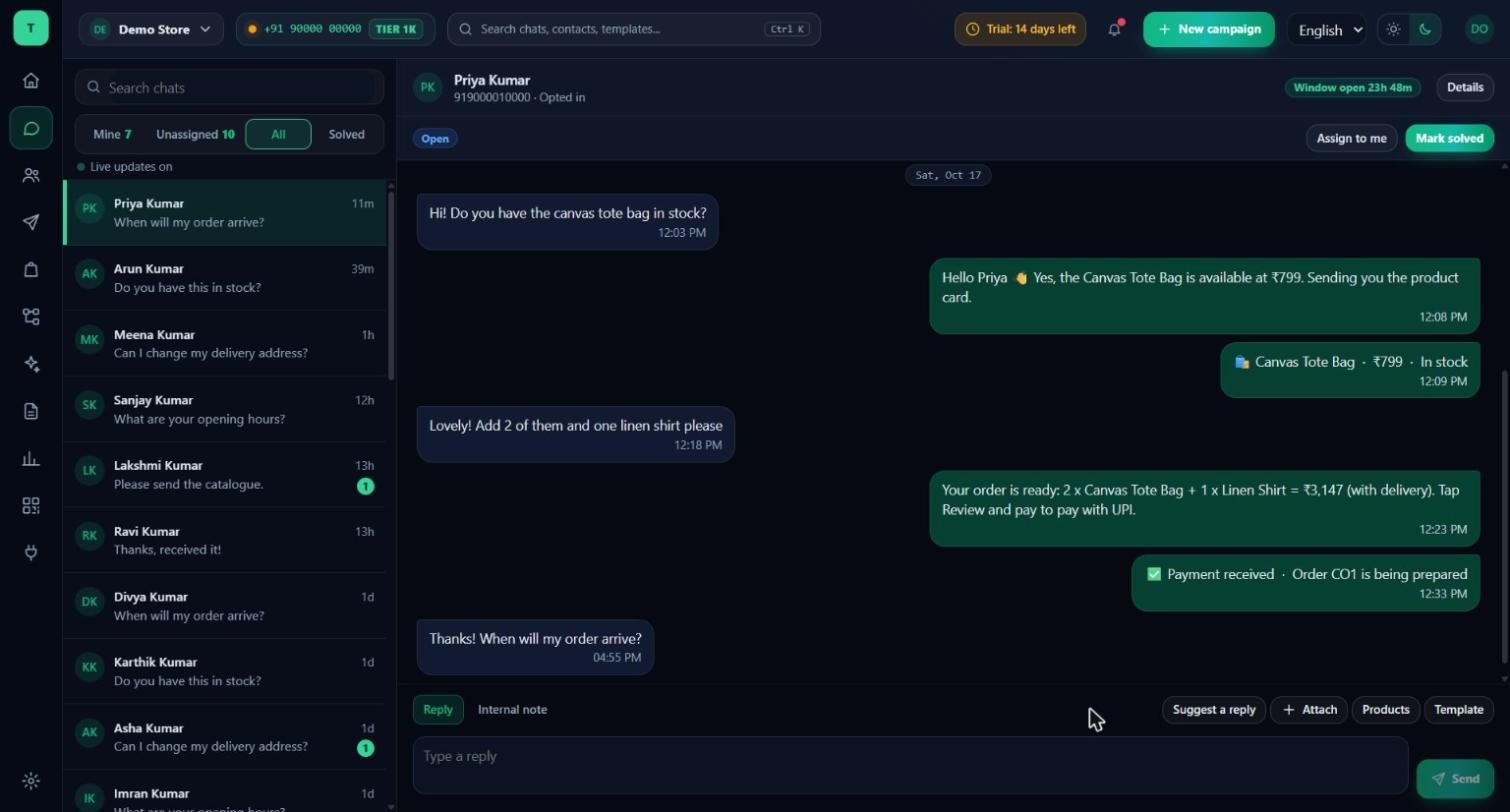
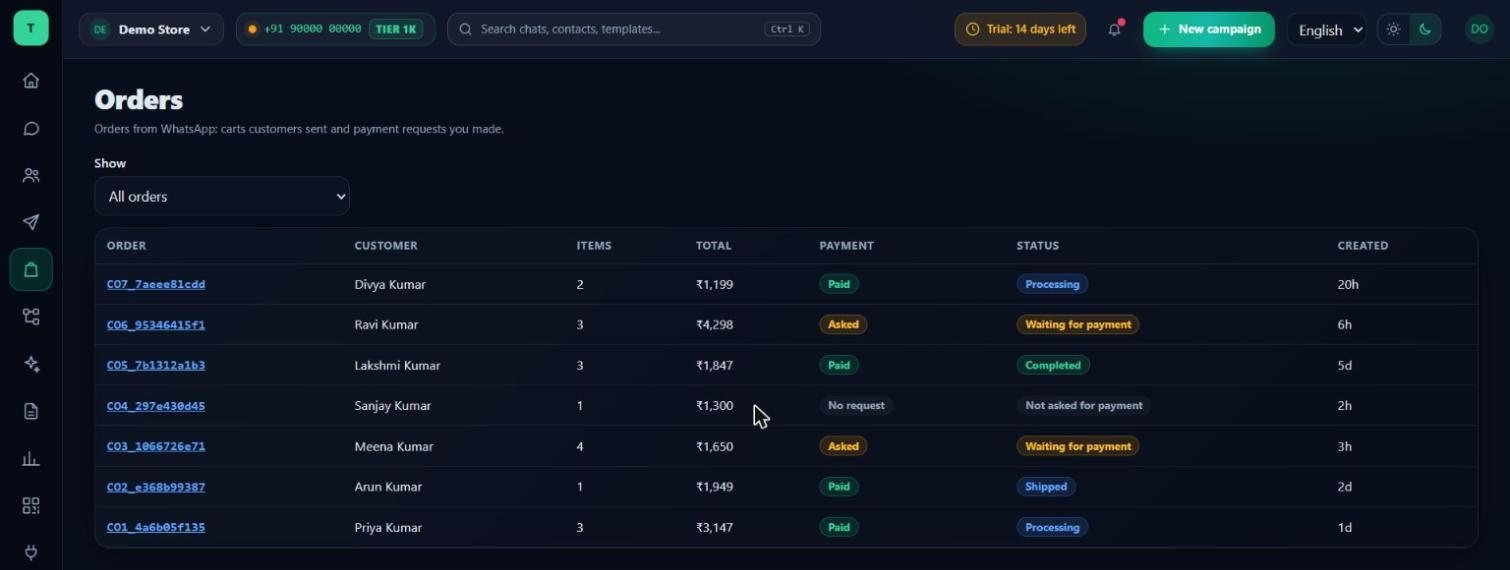
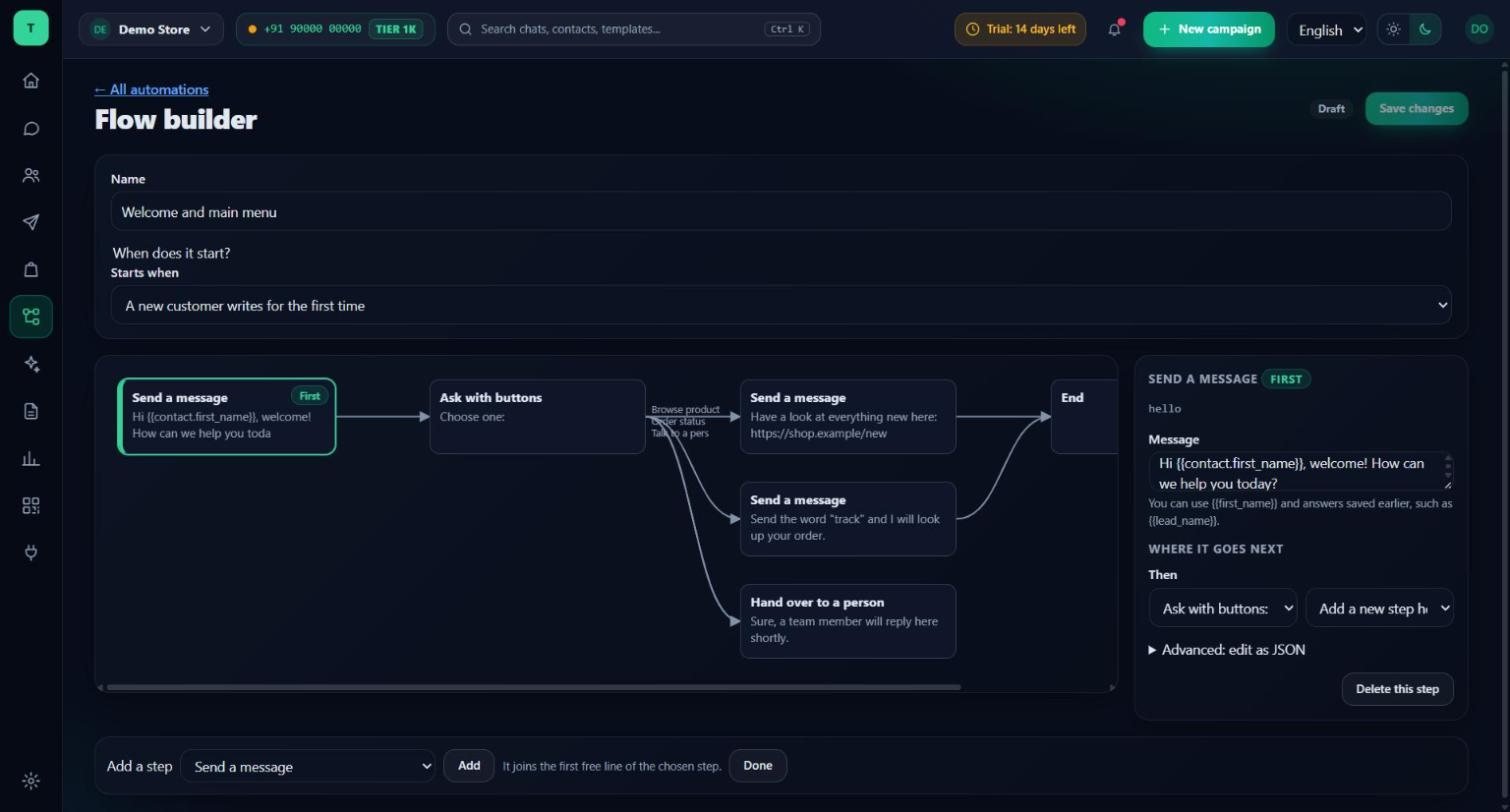
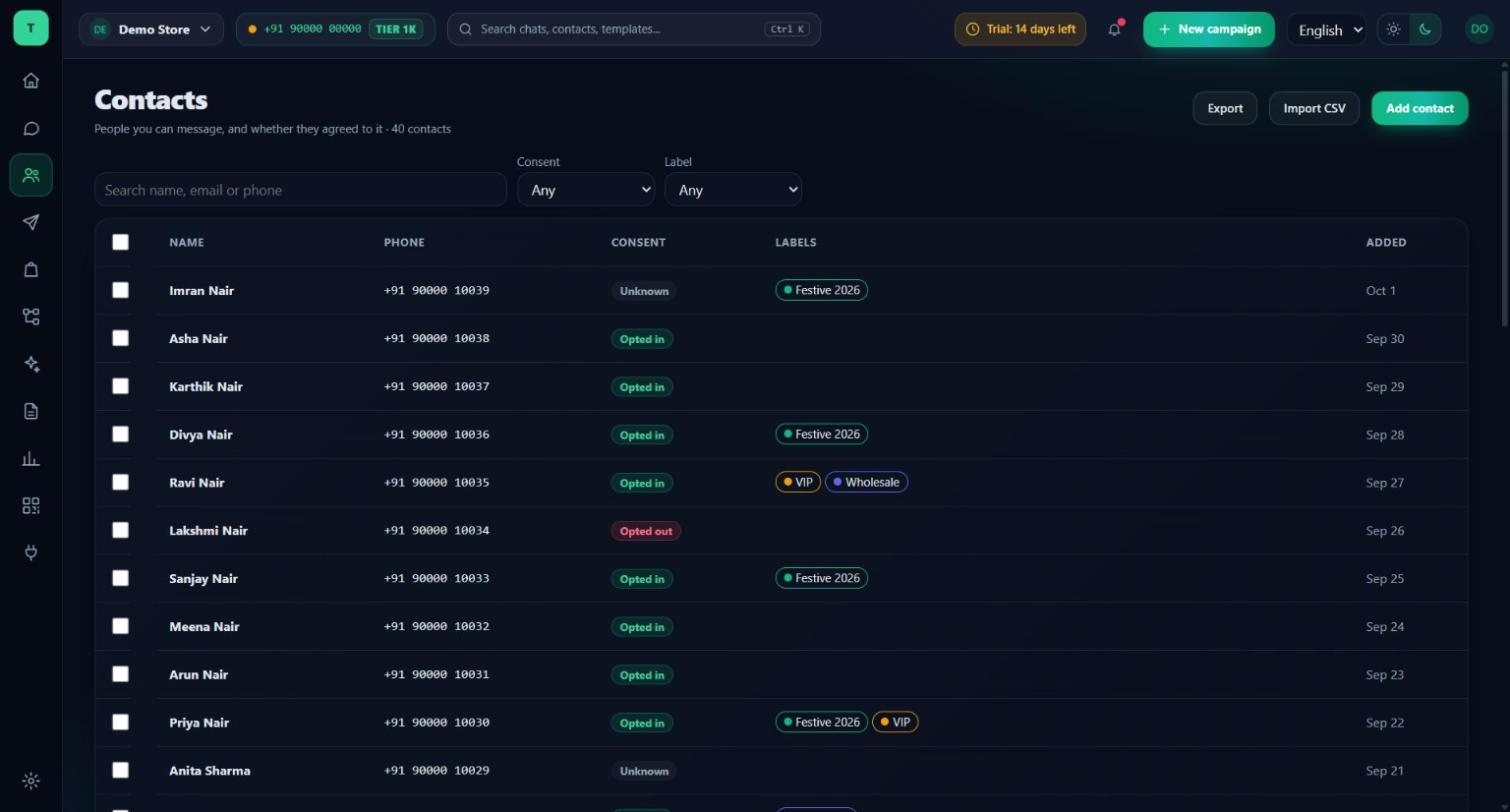
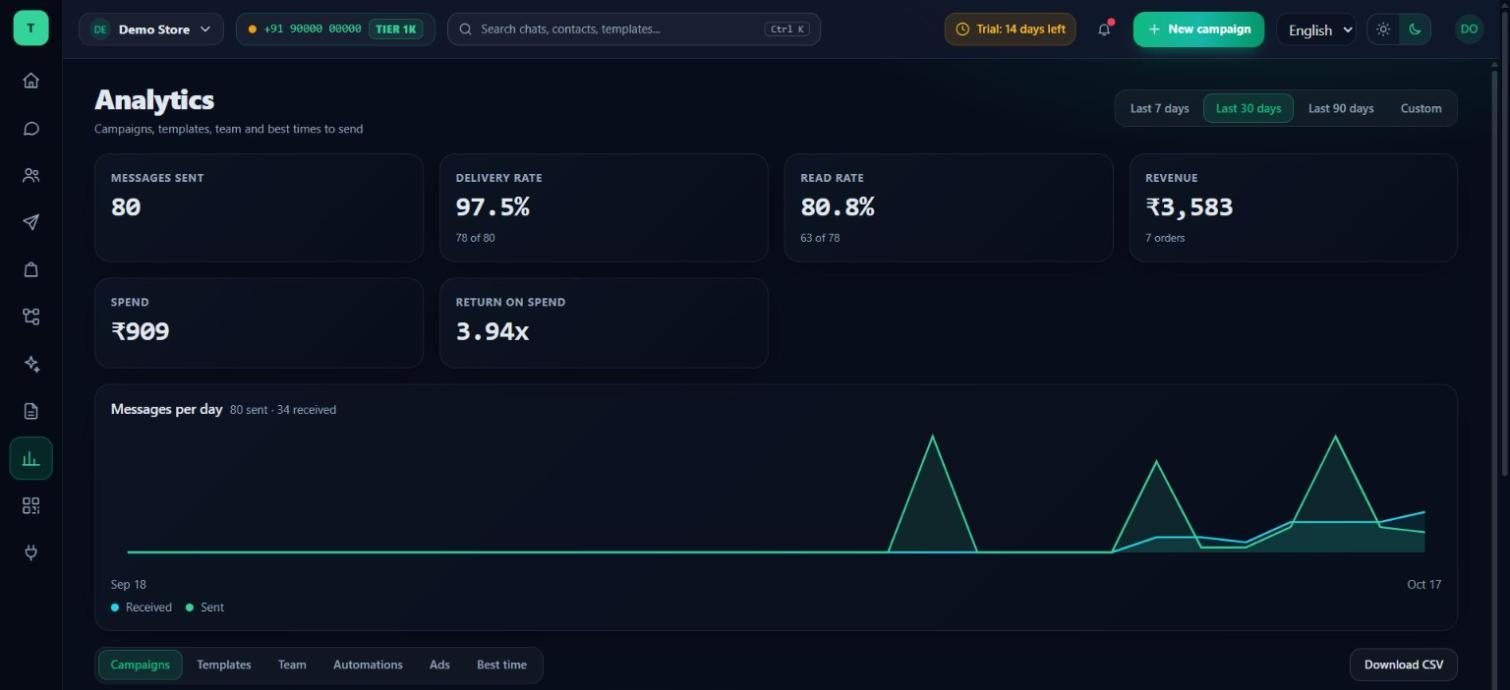
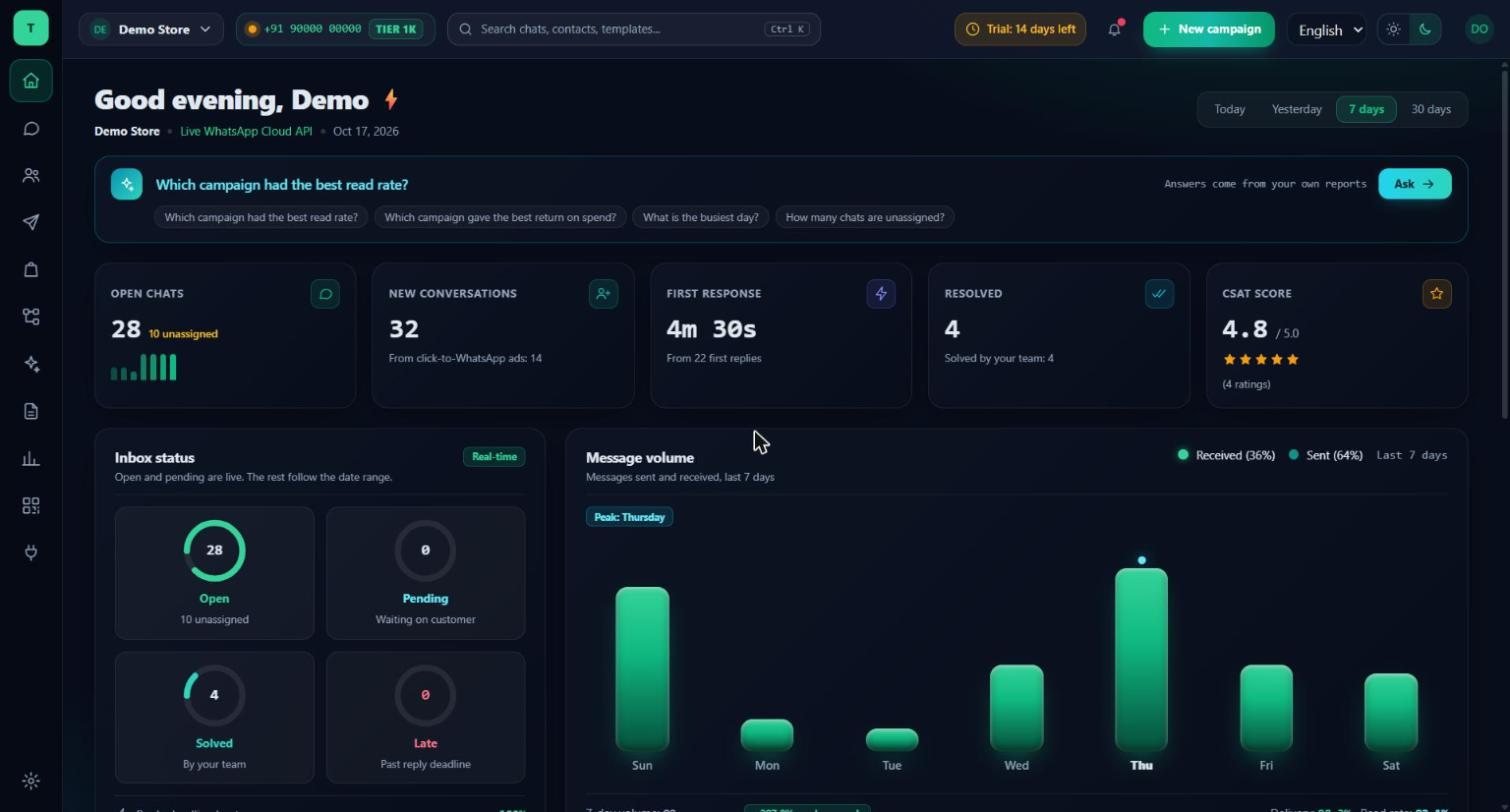
Real screens. Not illustrations.
Every screen below is the running product, filled with invented demo customers and a demo shop. Nothing here belongs to a real customer.
WHAT YOU GET
Everything a WhatsApp sales team needs.
Shared team inbox
- One number, your whole team
- Assign chats and add internal notes
- Quick replies and approved templates
- Reply-time and rating reports
- Roles for owner, admin, manager, agent and viewer
Product cards from your store
- Reads your products from Shopify, WooCommerce or Bagisto
- Send one product or a set as WhatsApp product cards
- The assistant can suggest products from your own catalogue
- Customers can send you their cart
Payment inside the chat
- Ask for payment with WhatsApp's own pay card (Razorpay)
- Marked paid only after WhatsApp confirms the exact amount
- Order status cards: processing, shipped, completed
- Needs a payment setup in your Meta account, we guide you
Automatic lead rating
- Hot, warm or cold the moment a customer writes
- A plain reason you can read, not a black box
- Kept as labels you can filter and message by
- Your team can always overrule it
- Optional AI second look, within a monthly limit you set
Visual flow builder
- Welcome menus, FAQs, lead capture, order status
- Buttons, lists, questions, delays and conditions
- Starts by keyword, button, new customer or your own event
- Test a flow on screen before it goes live
- Stops and hands over when a person replies
Campaigns, AI and reporting
- Broadcasts with delivery, read and click counts
- AI drafts replies from your own answers; a person approves
- Revenue and Meta cost side by side
- Tell Meta about sales from your ads (Conversions API)
- Android app for your team (early access)
Threadline Chat is in early access. We set up your number, templates and first flow with you.
GOING LIVE
From demo to first customer chat, with us beside you.
STEP 01
Connect your number
Log in with Facebook and choose your business. Meta verifies it; we sit with you for the forms.
STEP 02
Bring your catalogue and customers
Link your store for products, and import your contacts with their consent status.
STEP 03
Templates and a first flow
We write your first templates, submit them to Meta, and build a welcome flow with you.
STEP 04
Train the team, go live
One short session on the inbox and orders. Then the first real chat comes in, with us watching.
TRY IT FIRST
14 days free. No card. Nothing to cancel.
Use Threadline Chat with your own team and your own customers for 14 days. You pay nothing to start, and nothing is charged by itself afterwards.
DAY 1
We set it up with you
Book a demo and say you want the trial. We create your workspace, help you connect your WhatsApp number and make your first templates and flow.
DAYS 1 TO 14
Use everything for real
The shared inbox, product cards, orders, lead rating and the flow builder. The screen shows how many trial days are left.
DAY 15
You decide
Choose a plan to keep going. If you do not, campaigns and automations stop. Your chats and contacts stay: you can still read them, reply by hand in the inbox and export everything.
What the trial includes
- 1 WhatsApp number and 3 team members
- Up to 1,000 contacts and 3 flows
- 200 AI-drafted replies
- Every screen you see on this page
WhatsApp's own conversation charges are billed by Meta to your Meta account, as with every WhatsApp provider. The trial does not change that.
PRICING
Simple monthly plans.
The current WhatsApp plans are on our pricing page. Threadline Chat is in early access, so we agree the plan with you after seeing your team size and numbers. No setup fee for early-access customers. WhatsApp's own conversation charges go to Meta on every provider; you can see yours next to the revenue they earned.
NEED THE WHOLE BUSINESS IN ONE PLACE?
Want leads, invoices and stock too?
Threadline Chat is the chat tool on its own. If you also want leads, billing, stock and the ledger in the same system as your chats, see TBFCRM, the full business system with WhatsApp built in. You can start on Threadline Chat and move your customers across later; we do the move with you.
See TBFCRM →QUESTIONS PEOPLE ACTUALLY ASK
Before you book.
How does the 14-day free trial work?+
You start with a call: we create your workspace and connect your number. Then you use Threadline Chat for 14 days with your own team and customers, no card needed. When the 14 days end, campaigns and automations pause until you choose a plan. Nothing is charged by itself, and you can still read your chats, reply by hand and export your contacts.
Can I use the WhatsApp number I already have?+
You use your own number. A number that is already on the normal WhatsApp or WhatsApp Business app needs a check first, so we look at it together on the demo call and tell you plainly whether it can be connected.
Does payment inside the chat work for every business?+
It needs a payment setup in your Meta account that links to Razorpay, and Meta decides which businesses and countries can use it. If it is not available to you, Threadline still works as an inbox with product cards, and we can discuss a payment-link option.
Will the AI send messages on its own?+
AI suggestions are drafts that a person reads and sends. Lead rating works with plain rules and needs no AI; an optional AI second look only reads unsure cases, within a monthly limit you choose.
Who pays WhatsApp's conversation charges?+
Meta charges for templates and marketing conversations at its own rates, on every provider. Replies inside the 24-hour window are free. Your Meta cost is shown next to the revenue it earned.
Is my customer data mine?+
Yes. You can export your contacts at any time, and each customer's consent status goes with them. If you later move to a full CRM, we move your customers and chats across with you.
Is it available in Tamil and Hindi?+
The screens are available in English, Tamil and Hindi. Your customers can write in any language; templates are written in the languages you choose.
See it with your own products first.
A short demo on your catalogue and your kind of customer. If it fits, we set up your number, templates and first flow together.